Showing posts with label Heartbeat. Show all posts

2015-03-10

vCenter is Still a Single Point of Failure - An Update

My previous post vCenter is Still a Single Point of Failure caused a decent amount of discussion on Twitter and comments on the blog. I am actually glad about that because it raised a point that I think has been neglected for quite some time – and is finally being addressed.

Today I learned that the Availability Guide was recently updated – and there were a number of changes (the original version is no longer available – but are we all lucky that I have screenshots). The biggest one was a whole new section was added on the paper about clustering vCenter Services.

New Section

Firstly I would like to commend VMware on putting this out. Let’s go in and see what was added.
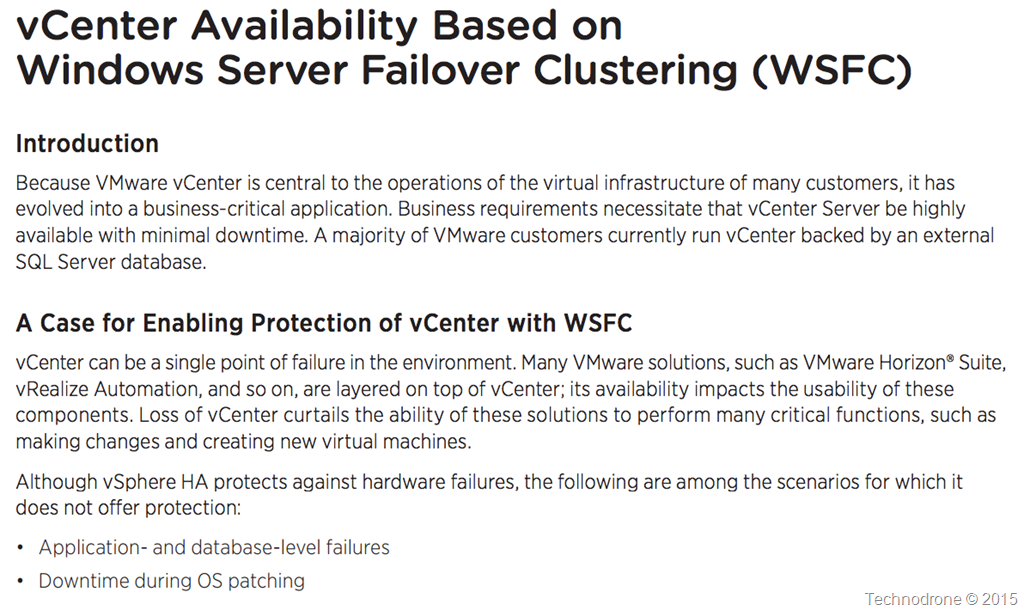
WSFC availability

<sarcasm>
“vCenter can be a single point of failure” – I wonder where I have heard that before?
It is good to see that vCenter is now considered to be a critical component.
I wonder why VMware changed their tune as compared to the previous version? (below)
</sarcasm>

What is vCenter HA?

So what would such an architecture look like? This is described in the following diagram

Clustered Architecture

You will need to setup a WSFC which will require a shared disk between the VM’s (RDM only is supported) and the document goes into some detail about how this should be set up. There are a large number of moving parts including DFS, How to perform upgrades, registry settings, certificates you name it. You will also need to protect the SQL / Oracle Database as well – this is not in the scope of this document.

You can see that a decent amount of work has gone into documenting the process. It is also apparent that this will be the same method used to provide the same availability features for vSphere 6.0 when it is released.

But one small caveat. I am sure you are not the only one who has gotten the feeling that VMware have been pushing us all towards the appliance – for a number of reasons, good and bad.

So where is the clustering solution for the vCenter Appliance? All of this is Windows Server vCenter only!

The only mention of such a solution is a tweet from my good friend Niran Even-Chen

Feature parity – is a relative term.

The second update I would like to go into was a performance paper released last week regarding the failover time needed for vCenter 6.0 in the case of a Host failure. The original article can be found here.

Now we have been down this path before – but I would like to point out two things.

  1. A VM protected by vSphere HA – will be restarted in approximately 30-50 seconds after failure – which is pretty fast and what we would expect from HA.
  2. The amount of time required to restart a 6.0 vCenter is even more than that of a 5.5 vCenter. Quite a bit more.

    From the original version of the paper:

    vCenter 5.5

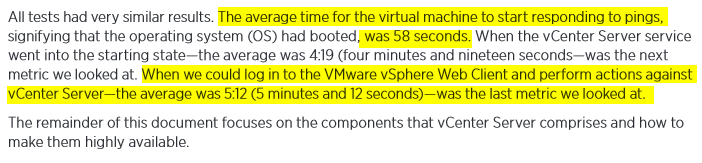
    5 minutes and 12 seconds.

    From the performance document for vCenter 6.0

    vCenter 6.0

    I would like to take the middle scenario – where we are dealing with 32 hosts and around 4,000 VM’s (I think that  is safe to call that a standard environment).

    The restart time has gone up to 7 minutes and 19 seconds – That is a 40% increase in downtime. That is a lot if you ask me – and probably due to the changes made in the architecture – hopefully for the better of us all.


Again I would like to thank the authors for there hard work, also VMware for recognizing that this is something that was lacking in the previous whitepaper – and something they were quick to rectify.

Last minute update
It seems there was an article published yesterday (after I had written this post) vCenter Server 6 Deployment Topologies and High Availability with some more information. It seems that even thought the vCenter Server has been consolidated down into two components – they taken even longer to start up.
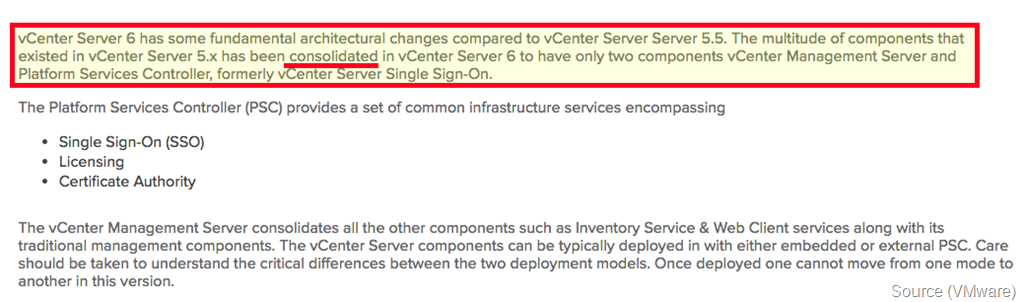
Consolidated

It also seems that the Appliance will not be supported (at least not yet)

No vCSA

And one more question I had for VMware.

Windows Requirements

Why is Windows 2012 Datacenter Edition required? According to this document WSFC is included in Standard as well.

As always your thoughts and comments are welcome.
And don’t forget to vote!!!!

2014-12-11

vCenter is Still a Single Point of Failure

A few days ago VMware (Mike Brown, Anil Kapur and Justin King are the authors) announced the updated document for the vCenter Server 5.5 Availability guide.

I would like to make clear a few things from the start.

  • This is not a VMware bashing post. (Even it might be perceived as such)
  • I hold all three of the authors in very high regard.

Here goes.

When reading this document I was hoping to hear something new, something refreshing, something that VMware customers have been asking and verbally complaining about for a very long time.

Alas – this is not the case.

vCenter is a single point of failure. There I have said it. I have said it before, I will continue to say it in the future until this if fixed.

In the following article I will be taking statements directly from the text, providing my thoughts as I go along.

Overview

Great start – This document will discuss the requirements… After re-reading that statement – I understood what VMware did. VMware has not provided us with a method of providing HA for vCenter – but rather – have explained what they think should be defined as High Availability be for your vCenter server.

SLA

The authors then go into explaining all about MTBF and MTTR – they did a great job. I will not go into the details here – you should read the document

SLA’s are extremely important – and for and every environment – an SLA is something different – yours may differ from your neighbor, so it is important to understand what you need to achieve.

tests

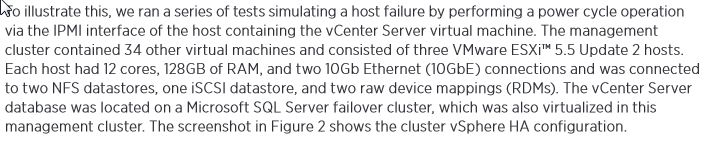
They then go into describing the tests that were run in order to measure the amount of time it would take for a vCenter server to recover. Fair enough.

results

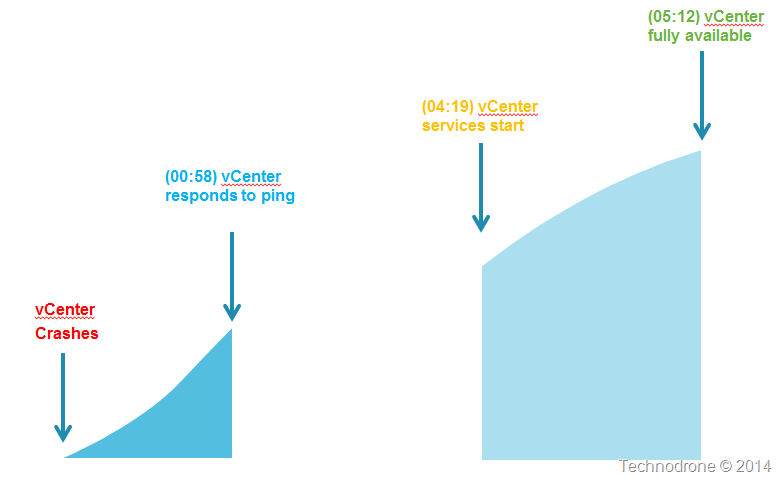
Here is where it starts to get interesting. Let us look at this in a picture.

Timeline

Bottom line is – that once a vCenter server has gone down – it will take a little over 5 minutes until it is fully functional.

recommendations

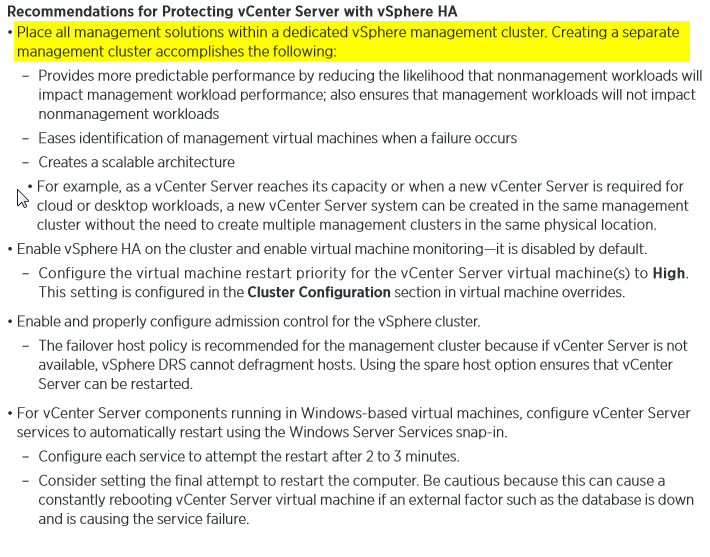
This part of the document states that having vSphere HA – and having vCenter running as a virtual machine actually provides some level of protection.

A dedicated management cluster is of course advised – that way you have a dedicated environment to run your management components without having to worry that the client workloads will interfere.

ESXi Hosts

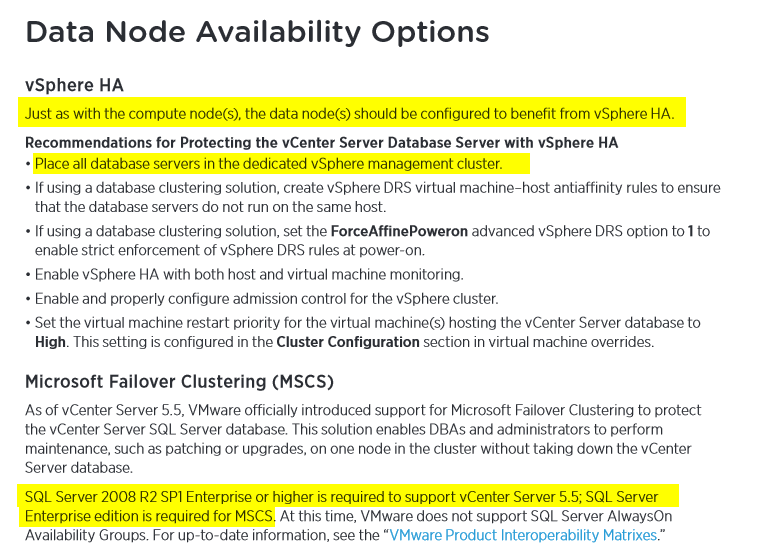
Also putting the database in the same management cluster is recommended – seems logical.

I then noticed that the only SQL version that is supported for vCenter 5.5 is Enterprise and up – which was news to me. I gather this is a documentation bug – because the VMware Product Interoperability Matrix says that Standard is supported.

Matrix

So how do you protect vCenter?

Replication

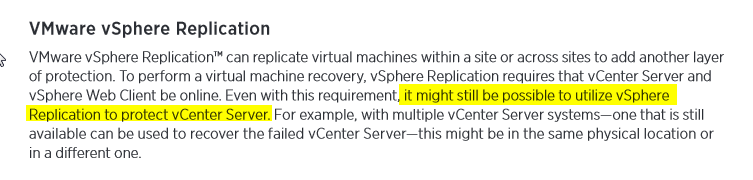
It would really be great if they would explain exactly how that would be possible and how that should be done. It still might be possible? How exactly? In order to protect vCenter – I will need another vCenter? Licensing? Implications?

VDP

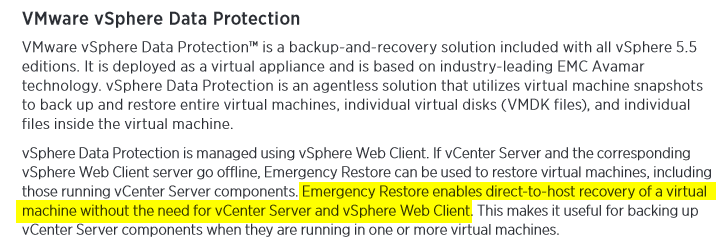
Emergency Restore was a new one to me – but it is only available in vSphere Data Protection Advanced Edition – that is something that was left out – which is approximately $1,500 (list price) / per socket. As a result of the feedback received in the comments – I have amended this. It seems that Emergency restore is also available in all editions of VDP – not only Advanced (more information here).

Definition

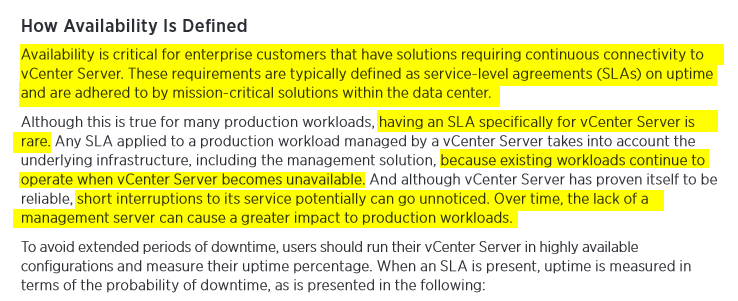
OK, enough copy and paste. This piece above is what set me off.

Essentially what VMware are saying the following:

  1. Use a separate management cluster
  2. Run vCenter in a VM
  3. Run the Database in a VM
  4. No matter what happens – if your vCenter crashes then it will be down for 5 minutes.
  5. Your  workloads are safe because they are running on your ESXi hosts are protected by HA and can continue running without a vCenter server.

Points 1-4 - I totally agree. With point #5 I also agree.

But there are environments that cannot afford to have a 5 minute outage. VMware might say that having vCenter go done and out for five minutes, is not really an outage per se, but I would very much like to disagree here.

If I cannot provision a new VM because my vCenter is not available – that is an outage.

Where would this be an issue?

  • VDI environments – If a user logs in and his desktop is not provisioned because vCenter is down? How about the whole 100 or 1000 employees?
  • Highly automated environments – ones that use products like vRealize Automation or vRealize Code Stream. Imagine having your code builds fail for 5 minutes because vCenter is not available? The whole continuous delivery process breaks down.

I might be exaggerating a bit – but I have voiced this more than once – I started more than 4 years ago - Troubleshooting Tools for vCenter.

vCenter is probably the most crucial part of your virtual infrastructure. And all that you can expect from from an availability perspective is that you have to accept as a given that vCenter might go down for 5 minutes at a time.

There are environments that will accept this - I would actually say that the large majority are fine with this – but what about those who are not? Those who cannot afford having this kind of outage? What do they do?

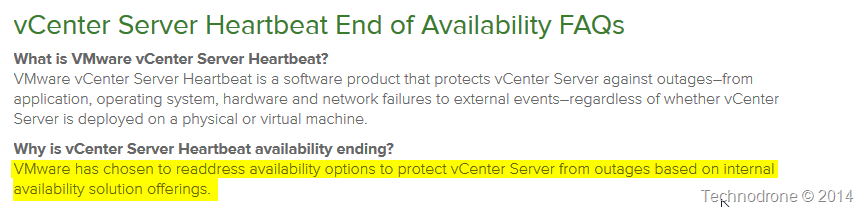
There used to be a product called vCenter Server Heartbeat – which was retired.

Heartbeat

Where are those promised options? When will they be available? What do companies do in the interim? Pray that there vCenter does not crash?

Embedded below is the Twitter conversation that sparked this post.


The scenario on which VMware based their whole presumption was on the fact that the host on which vCenter was running would crash, HA would kick in and the VM would be restarted on another host within 5 minutes.

The whole scenario of having a problem with your database, or a vCenter service problem (and believe me it happens), that was not covered.

Take the following scenario. You have a vCenter appliance. For some reason the vCenter service stops responding on the VM. There is no automatic restart. Eventually you get a call, something is not right. You try and restart the service, nothing happens. You restart the VM, nothing happens.

Now what? Open a call with VMware? Deploy another vCenter appliance and hope that nothing goes wrong? I can guarantee you that will take a hell of a lot longer than 5 minutes.

Why does the document even go into providing a clustered solution for the MSSQL database? Because that might fail? Yes it could happen. But guess what – the whole system is only as strong as its single weakest link. So providing a clustered database solution might give some piece of mind – but it will not protect you from an outage – because there is no way to cluster a vCenter server.

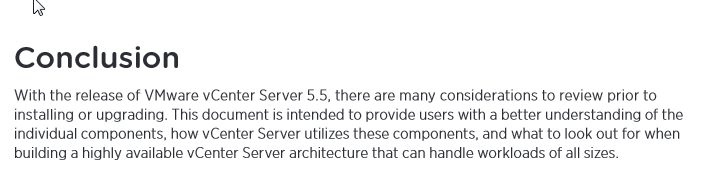
conclusion

In conclusion – yes there are considerations. I would definitely not say that VMware have a High Availability solution for vCenter, they have done their best to minimize the impact it will have when it vCenter crashes – but that is not HA!

What do you think? Am I making a mountain out of  molehill? Or this a real and valid concern? Please feel free to leave your comments and thoughts below.

2009-02-23

vCenter Server Heartbeat - VMworld Europe

Well even though the announcement was only today at VMWorld Europe 2009, the cat was let out of the bag, (not by me..but here here and here) so I will provide a bit of what I learned about the product from the webcast on February 10th. We were asked not to disclose anything until the announcement in VMWorld in Cannes.

Session will be at the upcoming VMworld in 2 weeks in Cannes - (DC10 - Chosing a Solution for vCenter Server Availability)

vCenter Server Heartbeat will be a High Availability Add-on that will allow you to keep your vCenter up and running at all times - a Fault tolerance (FT) solution if you wish for vCenter.

Q&A from the session follows but here are some highlights
  • GA - Sometime in March
  • Will protect one instance of vCenter Physical or Virtual.
  • Will protect the SQL instance that vCenter is using (be it on the vCenter server or a remote SQL server).
  • Does not work with Oracle
  • Will work over the WAN
  • Will come as an additional Application not a plugin
  • Estimated Price ~$10,000 per vCenter instance + SNS (Bundle of vCenter + Heartbeat - ~$13,000

Q: When does / did vCenter Server Heartbeat announce?
A: Annouced at VMworld Europe 2009 with early March GA

Q: Which critical Components of the Infrastructure will this protect?
A: vcenter heartbeat will provide complete protection of the vCenter Server, installed components and SQL server (local or remote)

Q: Will there be an acceleration kit upgrade or bundle with the acceleration kits?
A: an acceleration kit will be available at GA

Q: What about oracle, is this simply a SQL solution?
A: SQL is 95% of the vCenter Server Market

Q: vmware recommends running the virtualcenter server in a vm. i'm really not convinced about it....this may be not the focus os this vmlive, but could you please talk about running the vcenter in vm x physical server a little bit?
A: around 60% of vCenter license have been deployed on a physical machine where protection has been limited until now

Q: replication between product and disaster recovery site?
A: both LAN and WAN configurations are supported

Q: Support would include SRM ?
A: SRM is typically on a seperate server, however if installed locally protection can be achieved with vCenter Server Heartbeat

Q: is the failover instantaneuos?
A: The failover is automated and transparent

Q: Does this mean, vCenter running on Linux will not support vCenter Heartbeat
A: at this point in time, no support for Linux

Q: in passive, do we need a second licences for SQL Windos etc..?
A: second license required for Windows only, vCenter and SQL do not require additional licenses

Q: If I understand it will substitude HA?
A: no, its a point solution to protect vCenter Server only

Q: Is the failback a manual task or done automatically?
A: failback will default to manual but is a single click process

Q: what if the heatbeat fails, as is the synchronization process
A: the heartbeat process occurs when replication is idle

Q: (not sure if this was asked) Is this a plugin to vCenter or separate GUI
A: This is an addin to the vCenter server but not delivered as a plugin

Q: How will software updates made to the active vCenter Server be reflected on the secondary vCenter Server? Is it a manual process?
A: software updates will be delived as a manual process to the passive server (or alterntively the system can be switched to automate if necessary)

Q: This seems like a subset of what FT might be doing, but specific to vCenter, any huge benefit over one or the other? Was this based on what FT does?
A: 60% of vCenter licenses are deployed physically where FT will no be an option

Q: Is there a minimal version level of VC to implement this?
A: vCenter 2.5 and up including KL when released

Q: about oracle, not supported, but what would be the option, there is 5% of installations
A: you can select to protect vCenter only and use Oracle HA tools to protect the DB
Q: Which version of MS SQL is recommended?
A: MS SQL 2000 SP4 and higher is supported including SQL 2008

Q: If tools such as LCM or SRM are used. Will the Heartbeat be able to start them on the secondary vCenter ?
A: there is customization ability to add additional functionality

Q: If the Vcenter heatbeat is a tool of protection, how to interact with other backup tools? SRM.
A: vCenter Server availabilty is required for SRM and third party tools

Q: How does this compare to VMware running on a Stratus ftServer?
A: vCenter Server Heartbeat is a software solution providing protection from application and hardware failures. StratusFT provides hardware level protection

Q: what does this protect on the SQL only the one specific database ? If this on a remote SQL server?
A: the entire SQL environment on the one server, all databases and all instances

Q: Can the vCenter have option to have mutiple VCs managed to 1 DR server?
A: vCenter server can be utilised as many to one when the passives servers are virtualized. Each server requires a corresponding server (physical or virtual)

Q: Will this be managable trhough the VI client?
A: there will be a seperate client interface to manage but can be ran remotley

Q: If I have an active active datacenter running SRM with 2 copies of VC, do I need to purchase 2 copies of heartbeat to protect these sites?
A: two license will be required to complete


Q: Must the vc, SRM, etc databases reside on the VC server to be protected?
A: if the SRM database is on the same server this will be protected as well

Q: Is the purpose to become a general HA product for servers and applications both in and out of VI?
A: this is primarily geared at vCenter Server only to date


Q: "if the SRM database is on the same server this will be protected as well" So, you can only protect databses residing ON the VC server. The VC database cannot be on a consolidated SQL server? Thanks!
A: the entire SQL server will be protected whether local or remote


Q: so is there an ability to have mulitple active servers with one passive servers in a multiple VC environment.
A: each server requires a corresponding server, as the passives can be virtual and a many to one can be achieved

Q: Does the hearbeat monitor network usage and the type of traffic on the network; or just monitor for network availability?
A: the solution provides network connectivity checks, but does not get granular to the packet level