Showing posts with label Ravello. Show all posts

2016-01-05

Native Mac OSX virtualization - with Veertu

I was contacted today by Izik Eidus, an old acquaintance from Ravello which I was really impressed with their technology and introduced them in this post.

I assume that not many of you know that Apple released native hypervisor functionality with their OSX Yosemite release, their Hypervisor.framework.

What this does is it allows you to run a VM natively on OSX, without the need for client hypervisor (such as VMware Fusion or VirtualBox).

Two of the main brains behind the Ravello hypervisor have now released a Native Mac OSX virtualization tool.

Say hello to Veertu.

image

It is light (20MB), supports Windows and Linux Operating Systems, has extensive useability features such as copy/paste between guest and VM, full-screen, and shared folders.

It is the only virtualization tool that is actually available in the Apple store – becuase it does not make any changes to the kernel.

It was really very simple. I downloaded the tool and started it up.

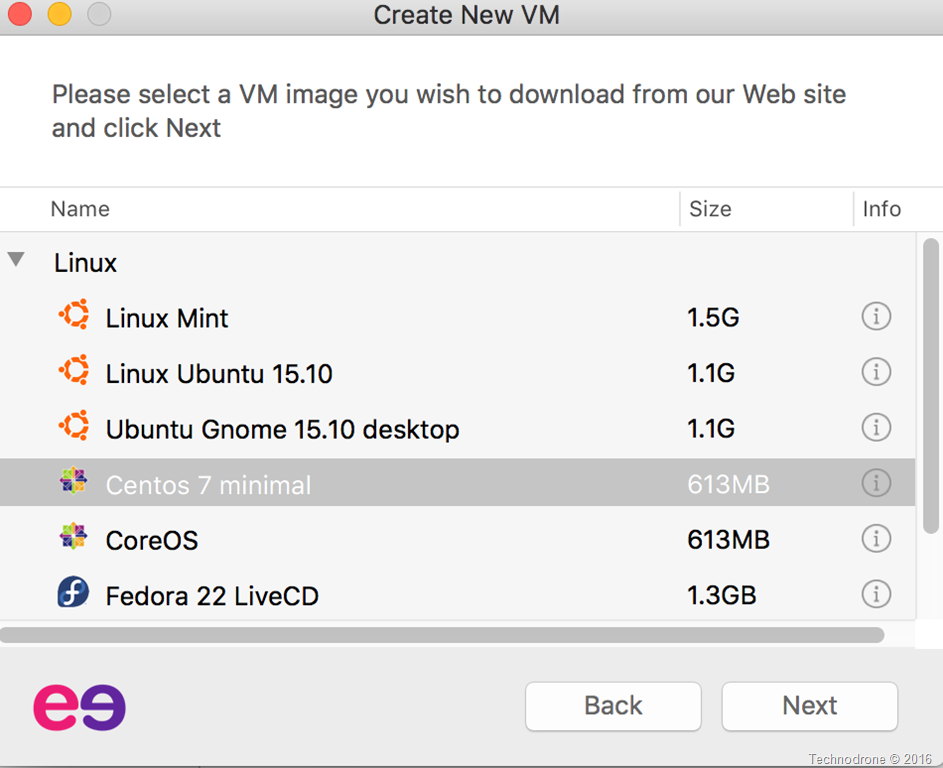
You are presented with 2 choices, create your own VM’s from ISO’s (which is a paid feature) or deploy from Veertu’s servers which has several Linux flavors.
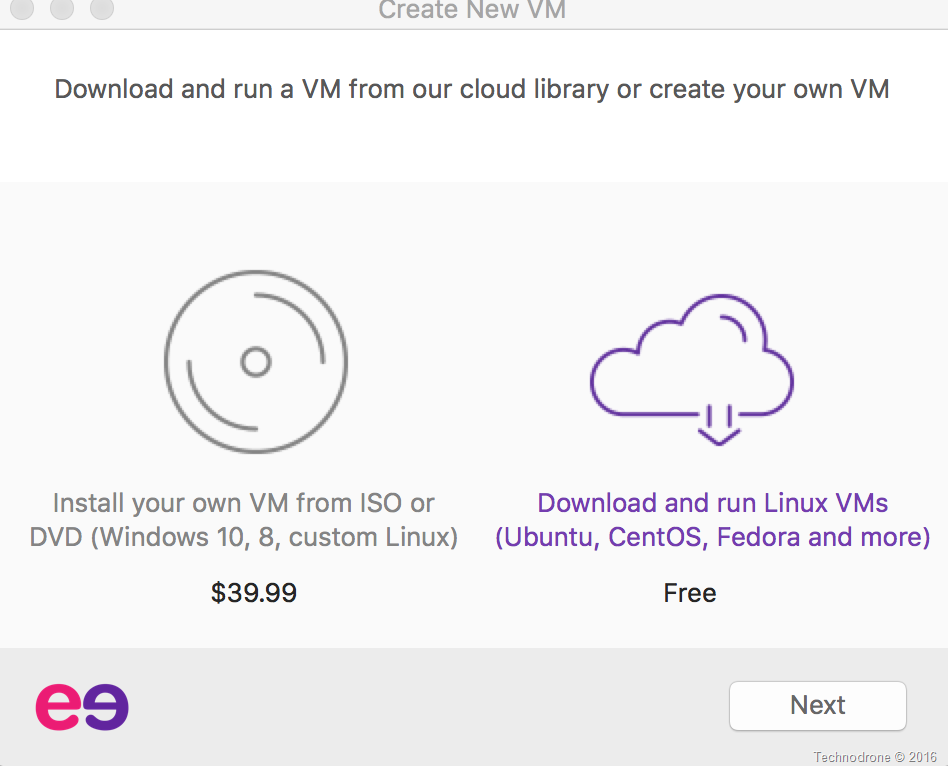
Veertu - splash

I chose Centos 7 Minimal.

Available OS

What happens is that the client downloads the appropriate ISO image that you can install the relevant OS.
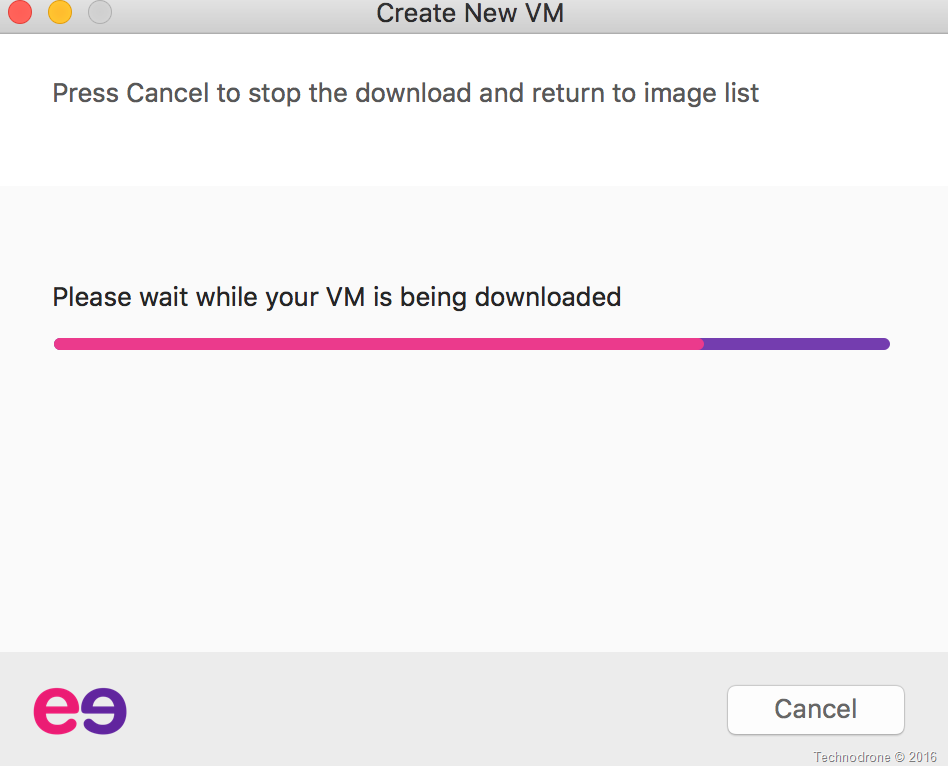
Download

(I think that the wording above could be improved because it is not actually downloading a VM, rather an ISO image)
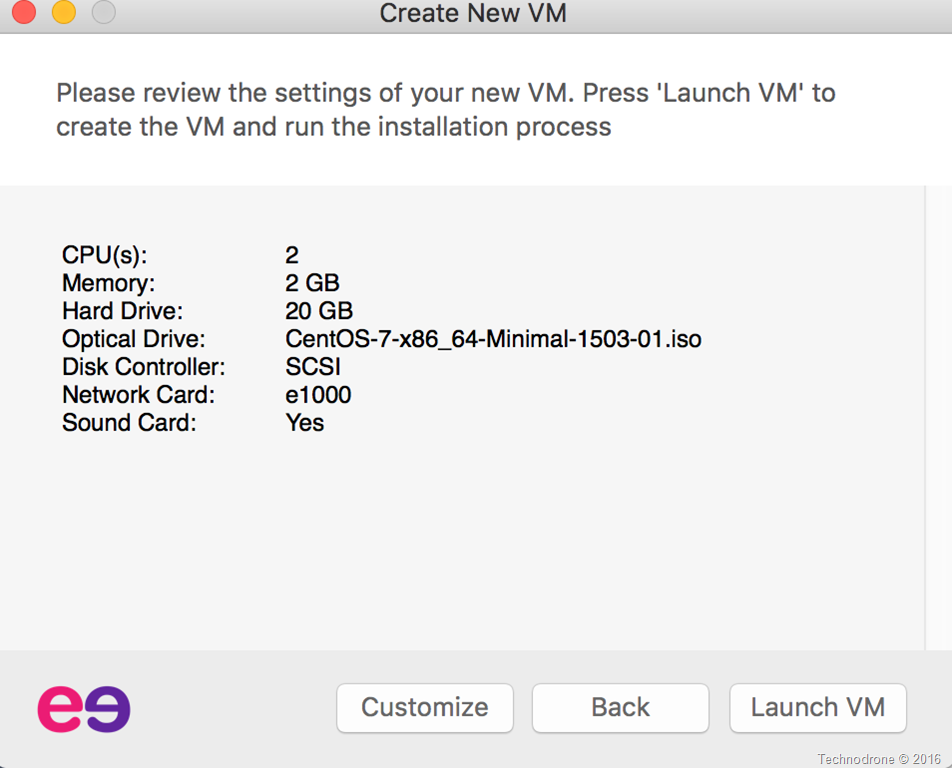
Launch VM

Once downloaded you can change the various settings of the VM.
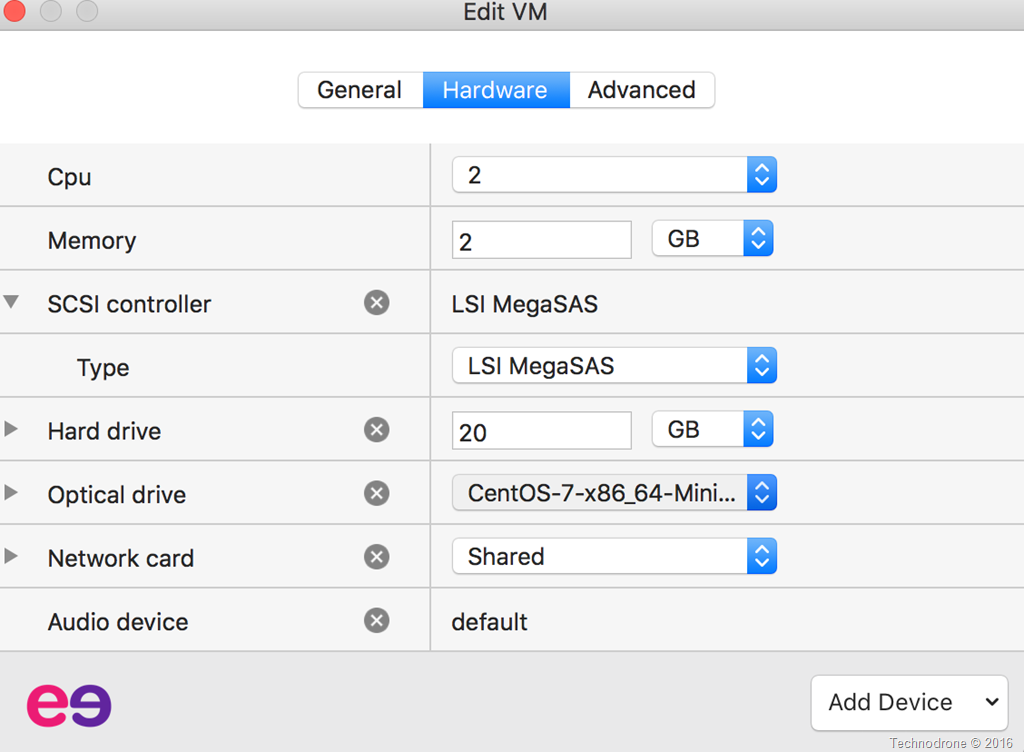
VM Settings

For example CPU, RAM, Disk, Network etc.
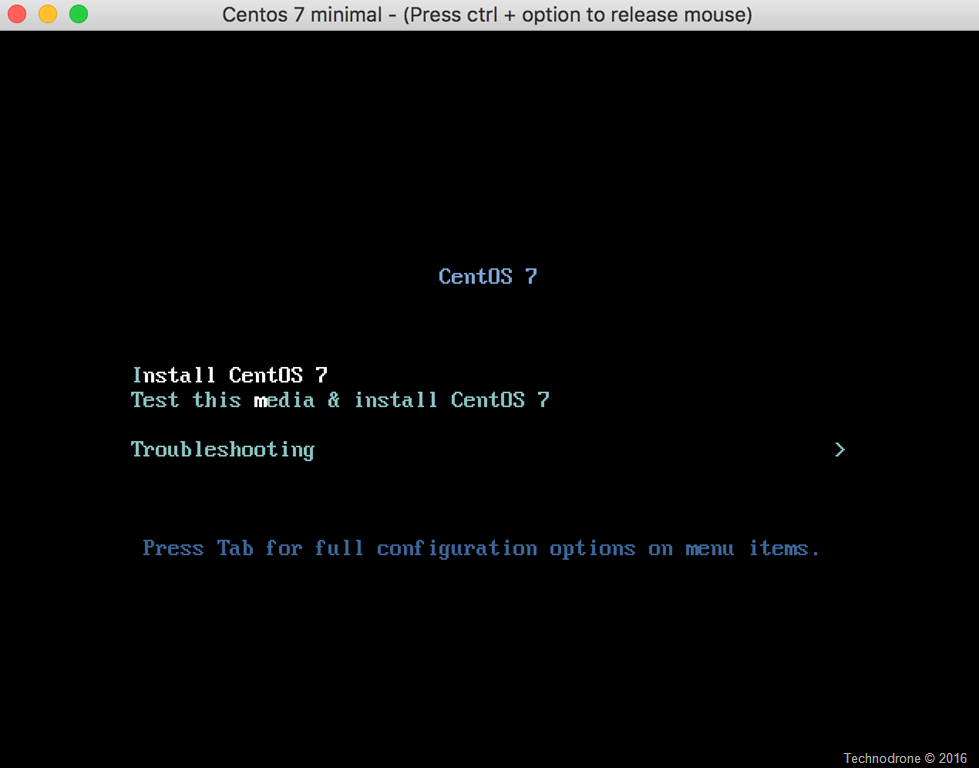
VM boot

Power it on – and your VM goes through the installation process. (this is how I realized that the client is not downloading a full VM – rather the installation ISO)
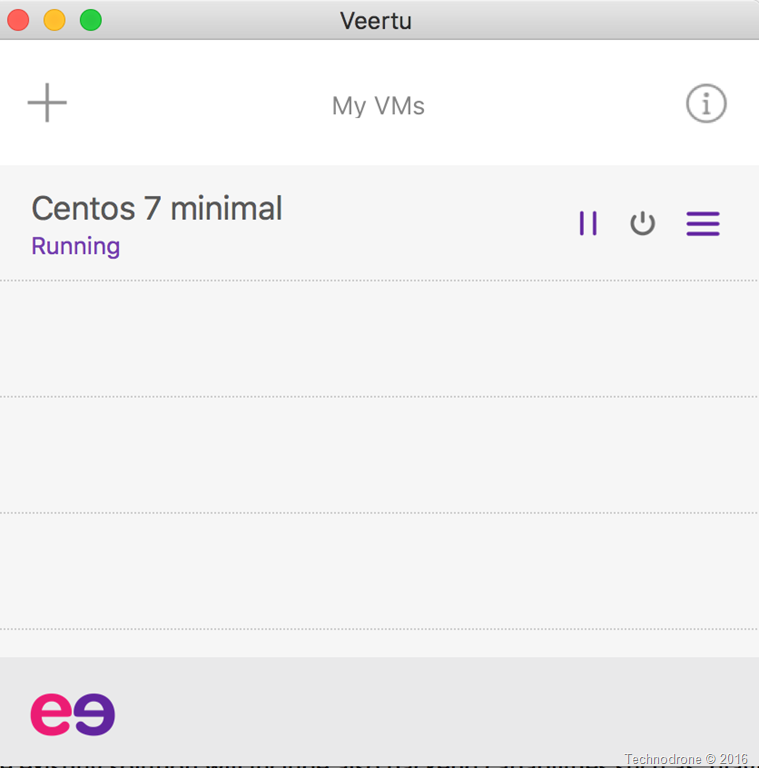
Management interface

Here is the Management interface.

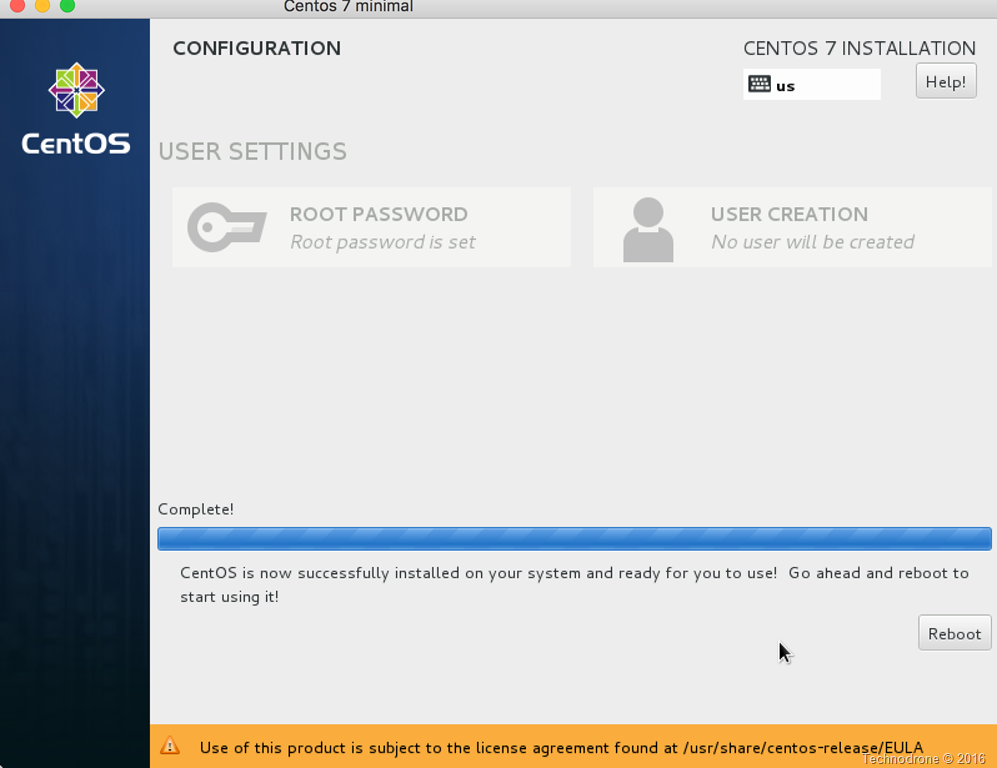
Installation Complete

And after the Centos 7 installation is complete.
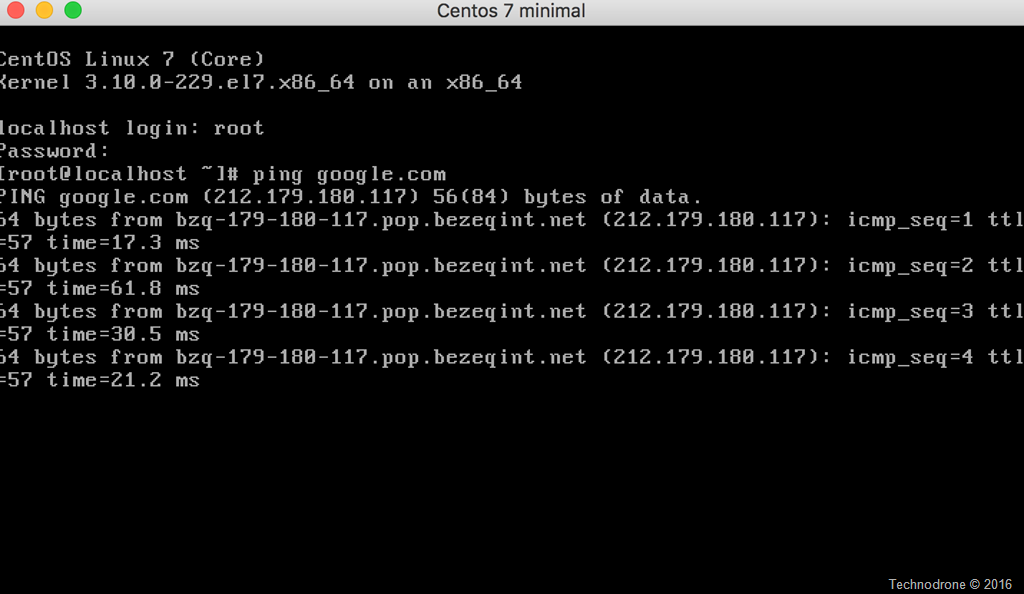
Veertu running VM

And here you have a VM running natively on my Mac.

Now the software is not perfect. And there are things that need to be improved, such as:

  • Each time you create a VM, it downloads the ISO again, which seems a waste of bandwidth to me (it will be changed in a future version)
  • The download was slow for me, and downloading an ISO could be faster from a local mirror – just that the only way to point to a different ISO is paying for the full product.

Of course – what was the first thing I tried to do? Build an ESXi VM
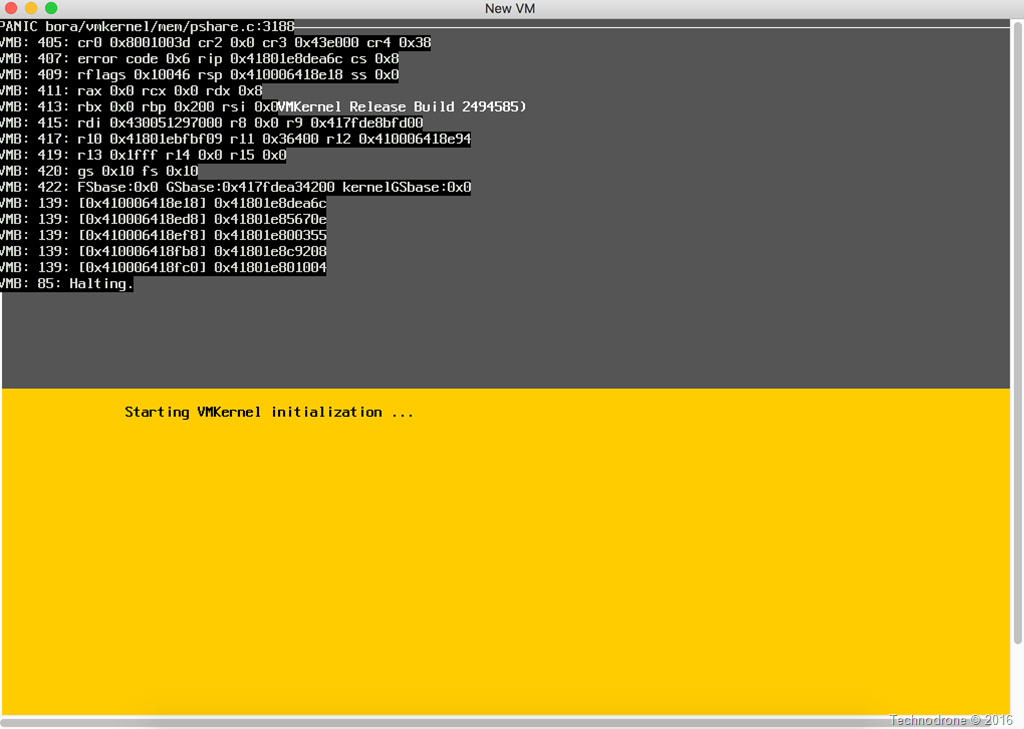
ESXi attempt

But that did not work because Apple have not enabled supported for nested VM’s (yet).

I liked the native interface. I liked the smooth integration, and would definitely keep an eye on this product. We all know that Ravello has an amazing solution which allows you to run your VM’s on any cloud, I think that this will be an interesting way to do things in the future.

And if Applefarm is hint in to where they are going, then this will definitely be interesting
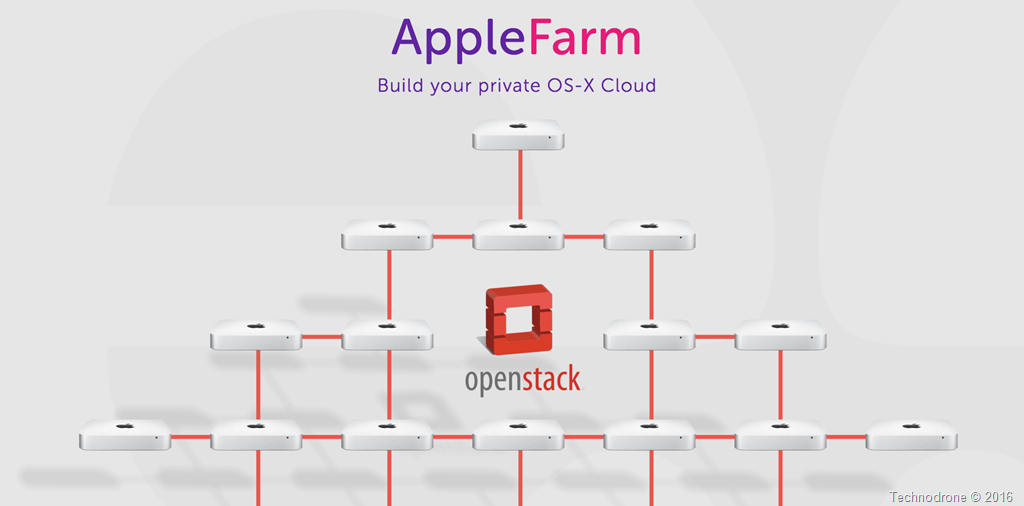
Applefarm

Disclaimer:

I was approached by Izik to look at the tool. I exchanged a few emails with him, with some questions and suggestions, and I also received a development build of Veertu to test – which is similar (but does not have full feature parity) to the full version which is worth $39.99.

I was not asked to write a review.

2014-06-18

Back from the OpenStack Cloud Summit

This is a re-post of my article, originally published on The Ravello Blog.

Last month I attended the OpenStack Cloud Summit in Atlanta. It was a very interesting experience. I learned a lot of things from the people there, from the organization, and how the OpenStack cloud community works.

Without a doubt, the people who are writing the code are extremely talented. They are doing unbelievable work writing things that make something out of nothing – with just a few lines of code transform your whole system into a cloud that allows you do a huge number of things. It is absolutely amazing.


Not just for developers

Unfortunately, they don’t always understand that clouds have not really been used or built only for developers to write the code or for users to consume the cloud resources. There is a need to recognize the existence of a third party in the equation – the people who operate and manage the cloud, including the infrastructure. As a result, there are issues that have not yet been addressed but need to be considered and integrated into the system.

An operator is not a developer, and a developer is not an operator. No matter how much people talk about DevOps, there is still some kind of disconnect between the two groups. I could see a huge difference between the two groups at the conference. I had expected to see a more integrated community and was surprised by the extent of the divide.

Enterprises are definitely looking to OpenStack for the purpose of deploying cloud infrastructure in their organizations. There are a number of very large providers that are looking to deploy OpenStack as a service that they will resell to customers. The majority of those looking to OpenStack are looking to use it to deploy their own internal clouds.


Obstacles to adoption


There are a number of obstacles that are slowing down the adoption of OpenStack cloud.

The upgrade process and migration process between versions is problematic, and any kind of change to the infrastructure affects the underlying workloads. One of the most frequently heard requests from the enterprise point of view is to make the upgrade possible with zero downtime for underlying workloads.
Yes, they have taken huge steps in that direction. But they aren’t there yet. It will take time. Until then people need to understand and make their decisions accordingly. The enterprise can build infrastructure and processes around these limitations, and the need to have downtime for upgrades, or wait until features are available in the regular code.

Another thing that I noticed is that there are a number of “distributions” of OpenStack. I don’t think the use of the term “distribution” is apt here. There is only one OpenStack software. Yes, you have Redhat, which deploys Redhat OpenStack one way, and Ubuntu, RackSpace and others that deploy OpenStack in other ways, but the software in essence is the same.

The software takes the same code from the OpenStack foundation. These are not different distributions, they are different deployment methods. Even in those cases where additional pieces are added to the system package, in essence the software is the same. The problem is that these distributed solutions are not interchangeable. The solutions can be good for one thing and not so great for another. You cannot easily mix and match solutions, particularly with different operating systems.

There are currently no simple solutions for backing up your OpenStack cloud. Some maintain that you don’t need to provide such a solution, but this is the kind of thing that the enterprise may want, or provide as an added benefit to their customers.


OpenStack as a disrupting technology


OpenStack is a disrupting technology. It is making people think differently and work differently. It is making IT work differently. One of the contentions raised at the Summit addressed the need to fix the features without disrupting things. For example, there are features with problems from four versions ago that have not been completely resolved. In the interim, there have been some 17 other products introduced into the OpenStack product and surrounding infrastructure. Meanwhile those original features have not been fixed. People want to see OpenStack fix what’s there before investing effort in making the product even brighter and shinier.


Emergence of OpenStack ecosystem


There is an ecosystem evolving around OpenStack. For now it is a very small ecosystem. For example, there are people who provide monitoring solutions or deployment solutions based on OpenStack. This ecosystem is limited, though I expect it to continue to grow. (The ecosystem around VMware, for example, is much larger. It includes security, compliance, replication, backup , disaster recovery, and automation solutions.)

I praise the OpenStack Foundation for trying to commit to providing better solutions for operators. A half day of sessions was devoted to topics of interest to operators. The ensuing discussions were enlightening. Not everybody agreed about everything. But in my opinion, this was definitely a step in the right direction. The Summit was a great learning experience for me, and would definitely plan to attend future OpenStack events.

2014-06-10

Cloud APIs and Programmatic Interfaces

This is a re-post of my article, originally published on The Ravello Blogapi-driven-cloud.

In talking about functionality and how a product works, people don’t always address the question of allowing interfaces into their software. As a product evolves and grows, the more important the implementation of programmatic interfaces becomes. APIs need to take the place of users sitting at keyboards to better facilitate access to interfaces, especially for large products.

Not everything can or should be done manually. For example, you don’t want to manually power on/off a thousand machines from your keyboard/mouse – it would take too long. When an environment exceeds a certain scale, you need to find a more efficient way to do things. For this reason, when a product is designed and built, you want it to include programmable interfaces that allow people to access interfaces in a programmatic way.

Almost all the cloud providers understand this and have been including such APIs from Day 1. This is true of VMware, Azure, Google, or even Amazon Cloud, with its very rich API, which can be used for almost everything, through API calls or Java components, and so on.

Different APIs for Different Products

But you have different APIs for different products; this is both good and bad. It is good for the vendors, in that it locks you into their products. Migration from one API/vendor to another is problematic. At the same time, the API makes it easier for the end users to handle what would otherwise be labor-intensive tasks in a more efficient, automated fashion. You can do this automatically with a program or a script, or with some kind of automation tool.

Vendors are beginning to be receptive to the idea of allowing their Cloud APIs to be open to the external community, and even external vendors. For example, Cisco UCS manager API is an interface that allows you to interact with underlying hardware so that anything you can do with the GUI, you can do through the API as well.

You can use APIs to embed your solution inside another solution. For example, allowing the interface into the API enables you to embed some kind of management portal inside another solution. This allows you to expand on the functionality that was originally there and differentiate between the default functionality and the added benefit that would like to add.

The idea of having an API, of course, is to expose it to the customer from Day 1 and to allow the customer to use it. Nonetheless, some vendors have APIs that are not exposed to the end user to prevent people from developing or using functionality within the product in a way that is not generally available or desirable.

As time goes on, the APIs are leading to better ecosystems. For the end user, the ideal solution would be to have some abstraction layer of APIs or a single API that is suitable for multiple vendors. This can make the end user’s life easier, eliminating the need to repeatedly recode everything. With regard to virtualization, APIs enable you to interact with multiple vendors using the same API calls, with an abstraction layer in between. It is not easy and does have its challenges, but there is growing interest in the concept of using an extraction layer for APIs and its implementation.

2014-02-17

The First Step toward DevOps – Bridging the Gaps

This is a re-post of my article, originally published on The Ravello Blog.

devopsWithout a doubt, the traditional role of IT is changing. Traditionally IT were the ones to make the decisions about all kinds of things, they ruled. Today the end user is now king – and is placing all kinds of demands on IT. Users want mobility, they want their applications to work on all of their devices and not just in the office. In most enterprises, IT is trying to adapt to the evolving needs of the organization as quickly as possible.

The emergence of DevOps culture and its introduction into the enterprise presents a challenge for seasoned IT people. Traditionally developers were responsible for writing the code and IT were the ones who made sure it worked on the necessary platforms. The work was done by different types of people who worked separately and implemented entirely different methodologies and workflows. For example, ITIL for IT services, and Agile for development. With a disconnect of sorts between the two teams.

Open the lines of communication

DevOps blurs the traditional boundaries between developers and IT. DevOps brings together development and operations to achieve a common goal. To succeed it is important that developers and Operations learn to communicate. Simple initiatives, such as including representative from the other team in key meetings, can go a long way to establishing better communications and collaboration. It is important that everyone involved understand and appreciate the roles of their counterparts, how they work, and their concerns.

Change the mindset

DevOps is not just a way of working, it is a state of mind, a culture. The greatest obstacle to the adoption of a DevOps culture can be the existing organizational culture. There is often fear that with collaboration will come a loss of control, or diminished responsibility.

Successful DevOps means a change in mindset – all parties involved need to share responsibility for the success or the failure of the product. Resources need to be pooled with the objective of delivering the best possible outcome in an efficient, timely manner. Your journey towards a DevOps orientated environment can succeed only if it is supported by the organization’s management tier.

Check out and consider adapting some or all of the underlying principles of the Agile Manifesto.

Make informed decisions

Before implementing DevOps in the enterprise, take the time to learn about the pros and cons of the different DevOps methodologies. Make sure you understand the pain points for both developers and IT. It is also important to understand where a change in the way you do things can provide added benefit and also where such a change can cause harm, and plan accordingly.

When I first began looking into DevOps, “The Phoenix Project: A Novel about IT, DevOps, and Helping Your Business Win” was a real eye-opener for me. Written by Gene Kim, Kevin Behr, and George Spafford, this book provided insights into how one company transformed their IT department’s operations to achieve greater efficiency and profitability.

Consider attending a conference or seminar on DevOps, for example, a DevOpsDays event, where you can learn from the experiences of others.

There are a wide range of configuration and management tools available today, such as Chef, Puppet, SaltStack, and CFEgine. Start investigating these tools to determine which one offers the best potential for your organization.

2014-01-23

VMware and the Public Cloud – Frenemies

VMWare CloudHistorically, VMware – the pioneer in virtualization – has always been a software/solutions vendor. They were never in the business of selling hardware, they left that to the hardware vendors. With the advent of the cloud, VMware established partnerships with third-party service providers, who have developed cloud-based solutions on top of VMware’s vCloud product. In this way they have continued to be leaders and have advanced cloud technology, without providing a cloud service of their own.

Approximately a year ago, rumors began to emerge that VMware would come out with a public cloud offering. Considering the billion-dollar market already enjoyed by Amazon, Rackspace and others, this wasn’t a total surprise.

VMware’s vCloud hybrid service

About six months ago, VMware announced vCloud Hybrid Service. What is this new hybrid cloud service? In essence it is a vCloud environment that lets you deploy applications onto their public cloud and also allows you to connect seamlessly between the two VMware environments. The actual environments are owned and operated by VMware themselves, but the datacenter belongs to a third party.

VMware has already deployed the service in a number of datacenters in the United States and announced the beginning of Beta operations in the UK, although expansion can be expected in the future. VMware’s entry into the public cloud market has been a source of contention for its partners, concerned about retaining their own market share. VMware partners, however, can continue to offer added benefits, in the form of contract conditions and additional functionality.

How does vCloud compare with pure cloud offerings?

Amazon is the clear leader in the public cloud market. It is the most experienced, with the largest customer base. Amazon cloud offers unique features and services, such as the DBaaS or EBS, that are not available from other providers. Different providers offer various services, including load balancing and scalability.

The cloud is about providing resources on-demand, with infinite capacity and scalability. At present, the vCloud offering does not provide full on-demand infinite capacity and allows for only limited scalability. It uses different terminology, which translates into a greater learning curve for users who are accustomed to platforms such as AWS.

Using Amazon or other cloud providers, you can set up an infinite number of machines and you can get these in matter of seconds, the exact response time will be dependent on a large number of factors. When you choose a VMware cloud offering, you reserve a certain capacity on a monthly basis. You cannot exceed that capacity. This translates into less flexibility and a need for the traditional IT capacity planning.

Overall, VMware’s approach to the cloud has a different feel to it. Whereas most cloud providers tend to treat their virtual machines like cattle – use it and replace it, VMware is treating their cloud offering as a treasured pet, carefully developing and tending it.


VMware – past and future

With the native growth of the native public clouds such as Google and Amazon, their traditional ”growing through partners” approach places them at a disadvantage in today’s cloud market. As a software company, they will expand to provide additional cloud services, including software solutions for networking, storage and more.

Today, vCloud Hybrid cloud Service is VMware’s public cloud. Although VMware started late, I believe that their solution could be a suitable one for many workloads and will evolve to become a significant market player in the future.

2014-01-22

Adopting the Cloud? Importing vs. Building Your Enterprise VMs

This is a re-post of my article, originally published on The Ravello Blog.

Importing vs. Building Your Enterprise VMsThe cloud has brought a change in how we view and manage virtualization, especially for enterprises that need to deploy their sophisticated enterprise workloads around the world. Traditionally, the preferred method was to copy and deploy a virtual machine over a WAN. This can be a difficult and time-consuming process, especially for large VMs and complex IT environments. In recent years, deployment to the cloud has rapidly increased in popularity owing in part to its relative costs and ease of implementation.

As you contemplate the potential for moving to the cloud, inevitably one of the first decisions you will need to make is if you should build your VM from scratch or import it based on a set of templates.


Some Background

Although there is a natural tendency to assume that it would be easier to import an existing VM using one of the migration tools delivered by the cloud provider, this is not always the case.

I first encountered the use of templates for VMs around six years ago, when I became aware of VMware’s Clone or Deploy from Template option, which creates a copy of your virtual machine while leaving the original machine untouched. This approach provides a really easy way to duplicate VMs. However, if you need to deploy your VM on different platforms, which is usually what your developers are looking for, multiple templates will be needed, one for each platform. Ideally, you would try to create a template based on the lowest common denominators, and then add the applications on top of the resulting VMs as needed with your Configuration Management tool of choice. This works pretty well for deploying VMs, but will not be the same as your physical builds. You would still need to have a separate template for physical builds.

Create your Golden Image

Sometimes, it might be easier to just create the VM from scratch. For example, the process of installing a new virtual machine on Amazon, OpenStack, and other cloud providers, is fairly straightforward. If your service installation is performed in an orderly fashion, you can simply follow the instructions and build a new clean application environment.

It is important to state that the ease of rebuilding VMs in the cloud depends on the complexity of the software stack, e.g., database or network-specific configurations. Migrating a VM as part of a whole enterprise IT environment can by very challenging. If you choose to migrate from a VMware environment to take advantage of the cost benefits offered by the cloud, most cloud providers enable you to choose between creating a VM or importing an existing VM using their respective proprietary tools. Some of these tools are not mature, therefore you might hit some bumps on the way.

It is best to always start from a clean image that reflects the most basic common denominators – this will be your “golden” image – your template. This means removing everything you don’t really need from the image. For example, you probably don’t need to include the Windows Media Player or some of the other accessories that are included in a standard Windows installation.

There are tools available to help you prepare a clean installation. For example, Microsoft’s SysPrep tool will help you generalize an installation of Windows. It is important to remove passwords, drivers for default hardware not in use, and basically anything else that you don’t need. A similar tool is also available for preparing a Linux installation, virt-sysprep. Make sure you remove any MAC addresses, passwords, IDs, etc., to provide the next user with a clean installation. Once you have created and saved your clean “golden” image, make sure to configure access control, defining specific permissions for authorized users only.

Using these tools works, but not all of the time. Learn how

Building or creating an individual VM in the cloud can be easy however as noted above, migrating a whole environment including database, storage and network is a much more challenging task for the enterprise IT. The environment components’ configurations and specific enterprise-grade appliances might require great investment and efforts in order to be migrated to the cloud “as-is” with the same on-premise capabilities and performance. Or, it might not be possible at all – and then another solution must be found.


Size does matter

Two of the key factors to consider in planning your deployment are the size of your VM’s and the potential of portability between different platforms. Of course, when you create cloned copies of your VM, the size is identical. The larger the VM, the harder it is to move or the longer it takes to import.

Today, you can choose from a wide range of virtualization options and cloud providers. Unfortunately, there is no conformity between the VMs created by the different cloud providers, not to mention your on-premises images. There are no agreed upon formats or industry-wide standards in place. For example, Amazon uses the Xen, while OpenStack, Google and others are based on variations of KVM. At present, there are no clear methods to allow portability between platforms, be it a public cloud, private cloud or on-premises.

New technology players such as Ravello Systems provide the closest approximation to such a solution. By placing a layer between the VM and the hypervisor, Ravello Systems allows you clone your multi-tiers enterprise applications and deploy it on multiple platforms, using different cloud providers without requiring further modification.

2014-01-06

Private Cloud – Getting Started Guide for the CIO

This is a re-post of my article, originally published on The Ravello Blog.

Private cloud - getting started guideCloud adoption is on the fast track, companies of all size are seeking ways to adopt cloud while eliminating the traditional IT project risks. The largest enterprises in the world view the private cloud as one of the most appealing ways to start, while utilizing the already made investment of their on-premises resources. CIOs and IT leaders that are thinking about creating their own cloud need to make sure to consider the current viable options and prepare a plan for the future that will suit their specific enterprise grade IT requirements. It is definitely not a decision to be taken lightly. In this post I will provide you with some guidelines and tools to help support you on your new journey.

What is a private cloud and why would you want one?

In my humble opinion, a private cloud is a way to facilitate IT resources provisioning, regardless of the infrastructure, to empower the organization’s internal users. It removes the traditional IT hassles while maintaining the business’ policy yet providing the end developer or business user great agility. Moreover, the private cloud creates better control of your resources. For example, it adds values in terms of the cost analysis, driving better efficiency hence enhancing IT management. A significant advantage of the private cloud over the public cloud, lies in its ability to enforce corporate security policies and meet traditional compliance and regulation rules.

Cloud Adoption is a Strategic Move

Before you go any further, you need determine whether or not your enterprise high level management is committed to making the move to the cloud, and whether or not the necessary resources will be made available. This will be a key element in the success of your project. It is important that you reach out to the invested parties in the company, not just the folks in IT. Try and identify the pain points and strategies for remedying them. Bottom up adoption of cloud is only natural, and if you look around carefully, don’t be surprised to find that your organization developers and testers are already using platforms such as AWS cloud. While they may benefit from agility, they might also challenge your organization’s compliance policies. Today, it is not unusual to find business units within the organization that already have a cloud-based “rogue” IT infrastructure in place.

Knowledge Acquisition and Time to Market

Do your internal teams have the necessary knowledge? Probably not. Do they have the skills to quickly learn and start to deploy? If not, do you want to hire the necessary resources or would it be best to use an integrator? These questions are crucial when an organization wants to adopt any new technology or knowledge. Here time to market is of an essence.

The process of migrating in-house legacy applications to the cloud can be very challenging, and you should expect that some things just won’t work. For example, it is a known fact that Oracle and MSSQL databases were built to rely on specific infrastructure  configurations, and due to compatibility issues, moving these databases to the cloud is not that straight forward.

What’s the best solution for your Private Cloud?

If you decide to go deploy a private cloud, you should carefully research the available options. Check out what I see as the three most critical factors: cost, support, and resource reusability.

There are two main approaches to creating a private cloud, each type of platform with its own advantages and disadvantages:

  • Open source platforms, such as Openstack or CloudStack, let you build your own cloud using your choice of hypervisors. These solutions are free, but they are complex to deploy and maintain. They also do not provide support services per se. You can go the self-support route or you can buy support from a third party. Either way, support is bound to cost you something down the road.
  • Hosted cloud platforms, such as Microsoft’s Azure cloud platform, make it easy for you to build, deploy and manage applications on your own cloud, which is hosted by them.  These platforms are not free, but ongoing support services are typically included.

If you are reselling to external customers, the ability to receive and provide ongoing support from an established vendor can be a very important consideration.

You also want to find out whether or not each potential solution will require you to deploy everything from scratch or whether you might be able to continue to utilize some of the resources already in place. What, if any, new equipment is needed, and what are the requirements and costs of that equipment?

Final Words

In the future, we are likely to see a trend where companies have more than a single cloud even if it’s a private one. The multi-cloud deployment not only enables them to compartmentalize data, but also enables them to deploy the same applications to different clouds with different providers and technologies, improving availability and achieving true cloud redundancy.

The use of the cloud will continue to expand in years to come and there will always be resources that the company wants to control for whatever the reason may be. The private cloud is a viable option to enjoy the cloud features such as cost efficiency, agility and optimal resources utilization … all within your own data center.