Showing posts with label AWS. Show all posts

2019-06-12

Starting a new Journey #AWS

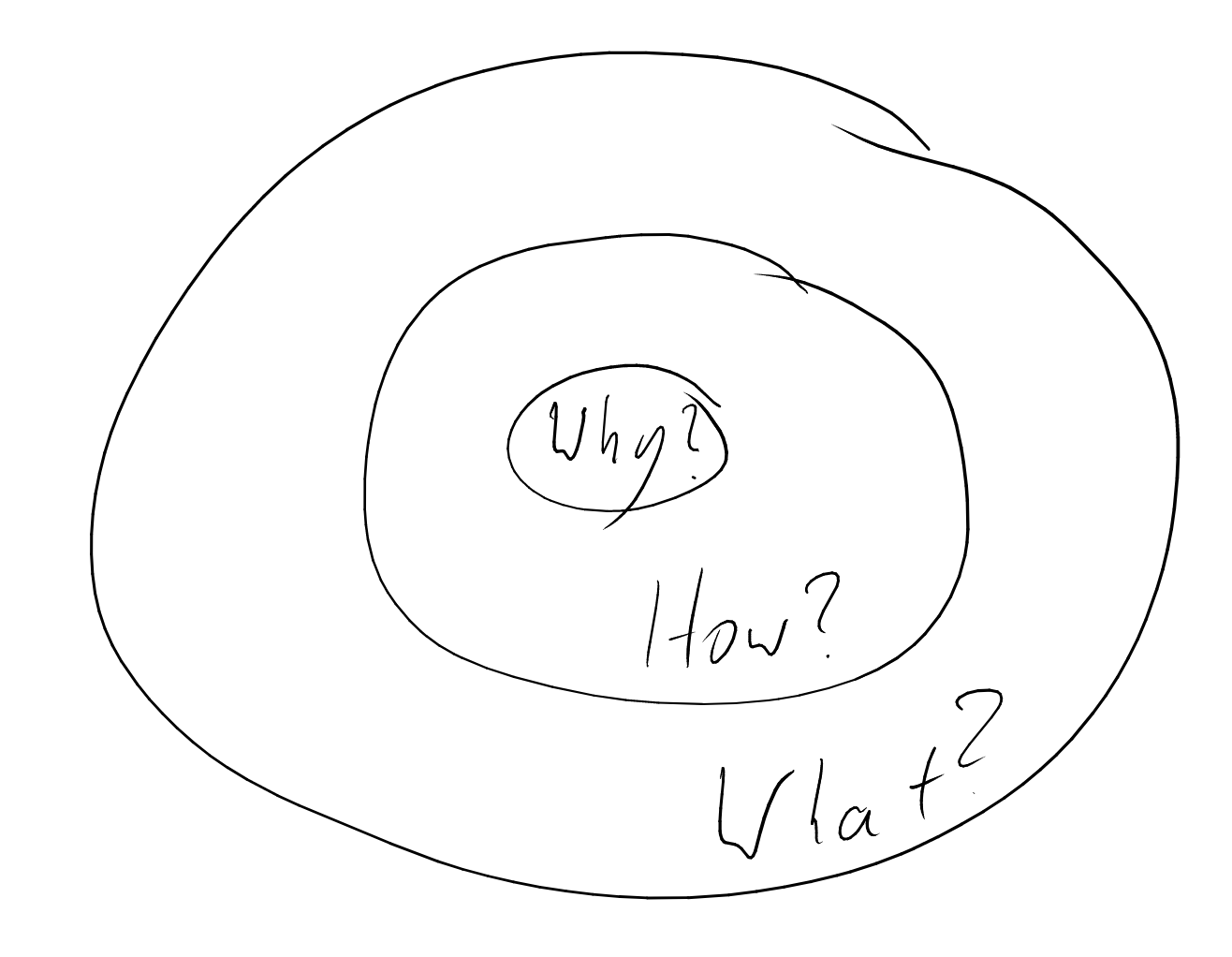
Simon Sinek has a great talk - about how great leaders inspire great action. I learned something really important from this talk even through it is almost 10 years old.


By explaining things in the wrong way - we miss the opportunity to make a great impact, to change the world.
  1. We usually start with the What.
  2. Then the How..
  3. And only at the end - we get into the Why...

It should be the other be the reverse.

Following Simon's advice I will start with the why..

How?  Why?  What?

Why?

I firmly believe that the future is the public cloud. I believe that we can accomplish so much more, so much faster, when we leave heavy lifting for others. This allows all of us to focus on providing the actual value to our customers without having to worry about the underlying infrastructure.

I know that I have a huge amount still to learn, but I also have a huge amount of knowledge, experience and insight that I can share with others. I have been doing this for many years, and see this not only as a way to put bread on the table, but also a way to make a real change in the world.

I want other people to benefit from what I have to give.


How?

I work with teams on how to start their journey to the cloud, how to make use of the technologies available to them. This includes, writing code, continuously learning (myself included), gaining more knowledge, and ultimately sharing that knowledge with others. I have built pipelines, migrated workloads into the cloud, failed miserably in some cases, continuously improved and iterated to get better the whole time.

Working on a regular basis with customers to help them on their journey, through their challenges along the way, celebrate their success stories with them, experience the pain and anguish with their failures / disasters - but above all - to be an advisor for my clients - with their best interests in mind.


What?

The change I have decided to embark on (and the challenge I have decided to accept) is moving my skills and energy in a direction where I feel I can make even more of an impact, help more people, help even more organizations, and not only focus on a single company, but make even a bigger impact.

Starting July 15th I will joining Amazon (Web Services) as a Senior Solutions Architect.

I will be working with an amazing team of solutions architects and talented people in a company that I really believe can change the way we use technology, make it better, more efficient, and do amazing things.

My last day at CyberArk will be June 30th, then I go on a long deserved and well earned vacation for two weeks.

I have learned a huge deal at my time here at CyberArk, worked with amazing people, learned a lot about the security space, their challenges, their fears, their constraints. None of it is easy. It is not a cloud native world and the problems this industry faces are not easy ones to solve, especially in what could be termed as "legacy" environments. For all this knowledge, the insight and experiences over the last year - I am extremely grateful.

I cannot wait for day 1 on July 15th!!!

2019-05-27

(Not) Real Scientific Proof that AMI has #3syllables

AWS has 26, (yes) I counted them, different products with exactly 3 letters in them (or derivatives of) - lets go through them one at a time.


  • A-C-M AWS Certificate Manager - Is not pronounced ac-em (also not hack-em) 
  • D-M-S Database Migration Service - Is not pronounced dems nor dee-miss (and also not dimms)
  • E-B-S Elastic Block Store - Is not pronounced ebbs (and we are not being washed back out to sea), nor ee-bzz (people might be allergic to bees) 
  • E-C-2 (Well it should actually be E-C-C - but EC2 sounds so much sexier) Elastic Compute Cloud - Is not pronounced ek-2 (or even eck - otherwise people might get confused with "what the heck2")
  • E-C-R - Elastic Container Registry - Is not pronounced Ecker-R (sounds too much like pecker) 
  • E-C-S - Elastic Container Service - Is not pronounced eh-ckes neither ee-cees nor Ex (People would be wary to use a product named Amazon X - they might think that AWS is taking after Google with their Alphabet) 
  • E-F-S - Elastic File System - Is not pronounced ef-s neither ee-fees nor eefs
  • E-K-S - Elastic Container Service for Kubernetes - pronouncing this x-kay (ECS-K) would sound too much like Xray (another AWS product). Also see above about E-C-S 
  • E-M-R Elastic MapReduce - We don't call it ee-mer - nor emmer (otherwise all the Dutch people might think that this is an S3 look-alike) 
  • F-S-X - I can't find what this stands for - except for FSx :) - not ef-sex (that is not politically correct..) 
  • I-A-M - Identity and Access Managment - no-one uses I-AM - (Dr. Suess would be happy with I-AM-SAM - SAM-I-AM
  • I-O-T - Internet Of Things - Not eye-ot (people might think there are more than 7 dwarfs in the service - eye-o, eye-o it's off to work we go..) 
  • K-M-S Key Management Service - Is not pronounced kems - nor kee-mes (keemes - the new AWS meme-as-a-service product is probably not a good idea either) 
  • L-E-X - this is actually the product name - Amazon Lex - even though the French might have enjoyed it if it was actually Le'X (but then again people don't like having their Ex in the spotlight) 
  • M-S-K - Managed Streaming for Kafka - Is not pronounced musk (Elon might not like it), em-sek (could be too fast for us to use). And of course AWS had to name a product after me.
  • P-H-D - Personal Health Dashboard - Is not pronounced pee-hud and phud - would get them in trouble with spreading Fear Uncertainty and Doubt
  • R-A-M - Resource Access Manager - Not (a battering) ram (nor the the ancient Indian king Raam
  • R-D-S - Relational Database Service - Is not pronounced ar-dis, nor ar-dees (and definitely not the new time machine service - tardis) 
  • S3 - Simple Storage Service - This is a 3 letter product - S-S-S (S3 is so much sexier) - Not sss (people might think there are snakes) - here I conceded - ess-ess-ess brings up really bad vibes 
  • S-E-S - Simple Email Service - Is not pronounced Sess nor sees (otherwise us customers might think this is a new tax in eu-west-1 or ap-south-1) 
  • S-N-S - Simple Notification Service - Is not pronounced S-ness, neither sneeze nor Sans (and not nessie either - she is still somewhere in the Loch) 
  • S-Q-S - Simple Queue Service - Is not pronounced see-ques - nor squeeze 
  • S-S-O - Single Sign On - Is not pronounced sa-so neither ses-o nor se-so (just because I say so) 
  • S-W-F - Simple Workflow Service - Is not pronounced see-wiff - nor Swiff 
  • V-P-C - Virtual Private Cloud - Is not pronounced vee-pic, neither ve-peec nor veep-see 
  • W-A-F - Web Application Firewall - I concede - this one is #1syllable - there I said it! BUT IT IS NOT #2syllables !!

Except for three exceptions (S3, LEX and WAF) - all the three letter products in AWS - are all pronounced with three syllables!!!!

Just like A-M-I - which has #3syllables 

I rest my case. 

2019-03-18

The #AWS EC2 Windows Secret Sauce

Now that I have got your attention with a catchy title - let me share with some of my thoughts regarding how AWS shines and how much your experience as a customer matters.

Deploying instances in the cloud is something that is relatively fast - at least when it comes to the deployment of a Linux instance.

Windows Operating Systems - is a whole different story.

Have you ever thought why it takes such a long amount of time to deploy a Windows instance in the cloud? There are a number of reasons why this takes so much longer.

Let me count the ways:
  1. Running Windows in the cloud - is a dumb idea - so you deserve it!! (just kidding :) ) 
  2. Seriously though - Windows images are big - absolutely massive compared to a Linux image - we are talking 30 times larger (on the best of days) so copying these large images to the hypervisor nodes takes time.
  3. They are slow to start.. Windows is not a thin operating system - so it takes time. 
With all the above said - it seems that AWS has created a really interesting mechanism with which they can reduce the amount of time it takes for an instance to start. Yes they say it can take anything up to 4 minutes for you to be able to remotely connect to the instance - but if you think about it - that is really a very short amount of time.

I started to look into the start time of Windows (for a whole different reason) and found something really interesting.

This is not documented anywhere - and I doubt I will receive any confirmation from AWS on the points in this post - but I am pretty confident that is the way this works.


It seems that there is a standby pool of Windows instances that are just waiting in the background to be allocated to a customer - based on customer demand.

Let that sink in for second, this means there is a powered-off Windows instance - somewhere in the AZ waiting for you.

When you request a new Windows EC2 instance, an instance is taken from the pool and allocated to you. This is some of the magic sauce that AWS does in the background.

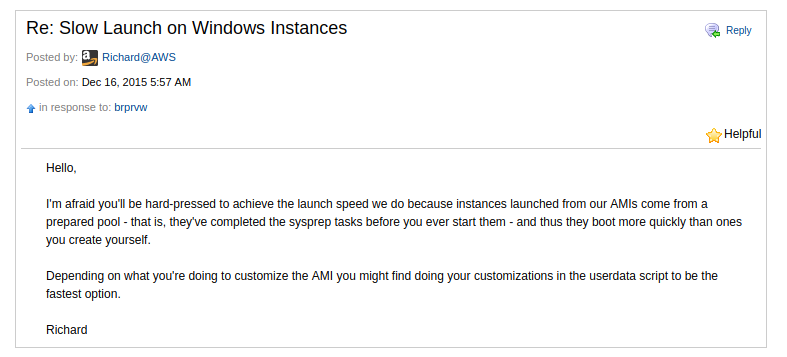
This information is not documented anywhere - I have only found a single reference to this behavior on one of the AWS forums - Slow Launch on Windows Instances

forum_post_slow


I did some digging of my own and went through the logs of a deployed Windows instance and this provided me with a solid picture of how this actually works. This is what I have discovered about the process (with the logs to back it up).

The date that this was provisioned was the 17th of March.
  1. On the 17th I launched a Windows instance in my account at 13:46:41 through the EC2 console.

    ec2_launch
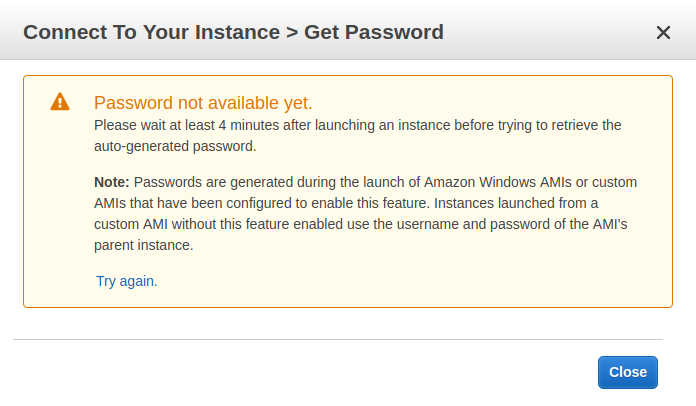
  2. You can see that AWS does not make the instance available for about 4 minutes - until then you cannot login

    (have you ever wondered why?? - hint, hint carry on reading.. )

    4_minutes
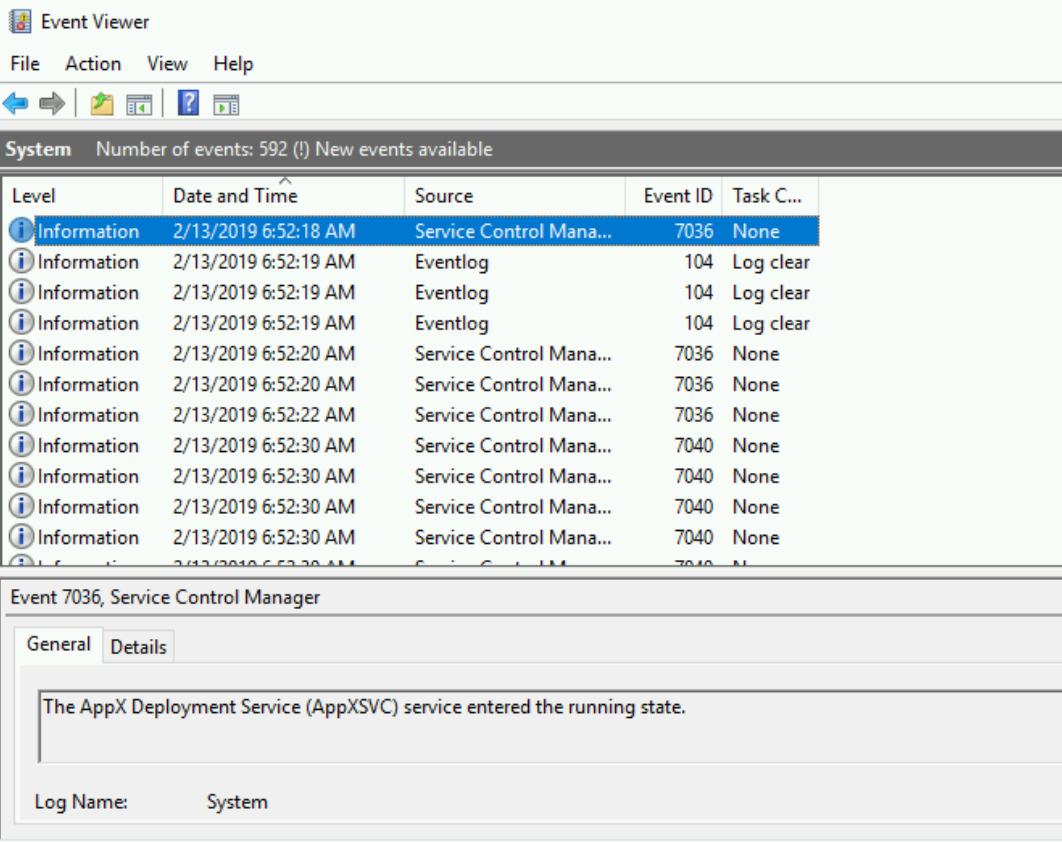
  3. After waiting for just under 4 minutes I logged into the instance and from the Windows event log - you will see that the first entry in the System log is from February 13th at 06:52 (more than a month before I even requested an instance).

    This is the day that the AMI was released.

    1st_boot
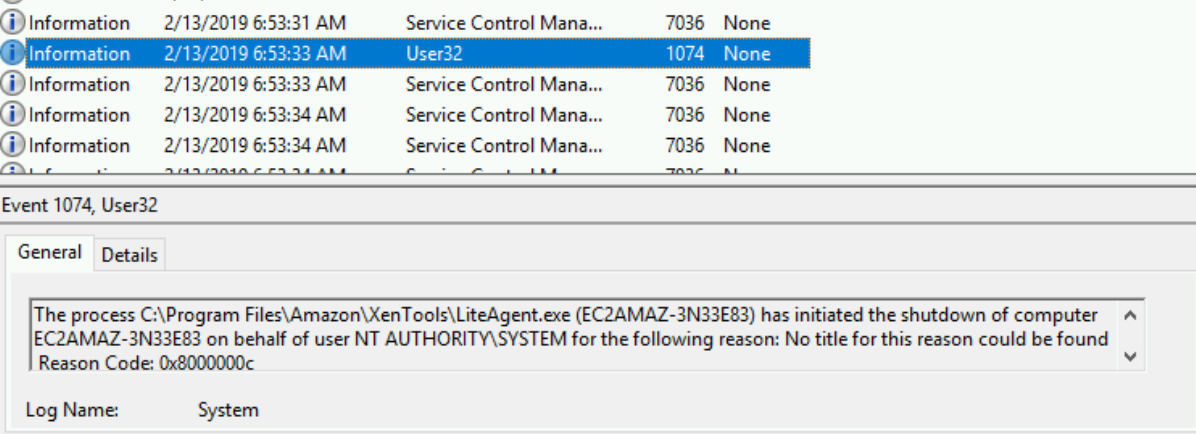
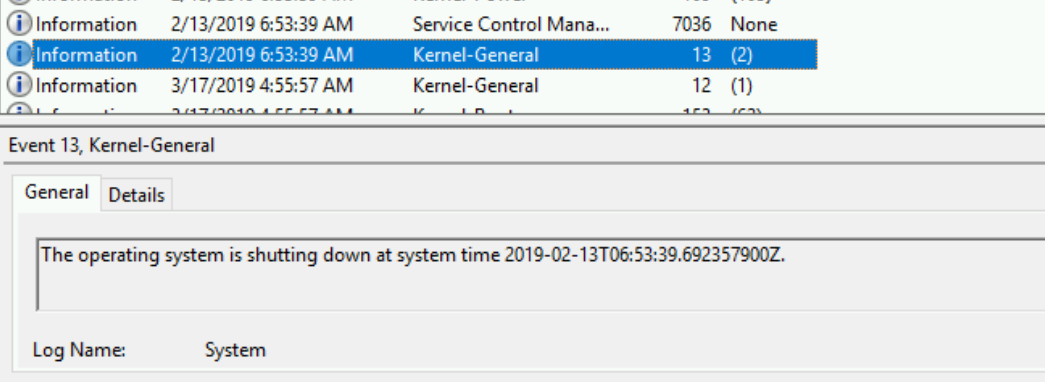
  4. At 06:53 that same day the instance was generalized and shutdown

    sysprep

    shutdown
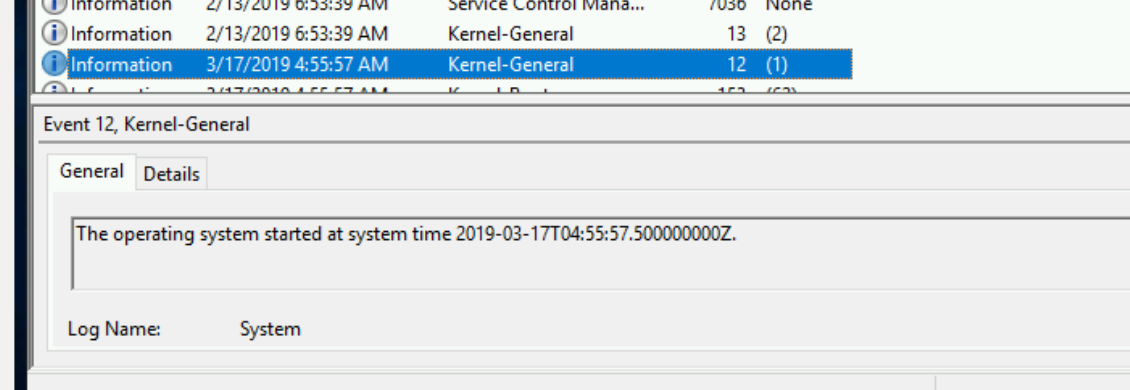
  5. The next entry in the log was at 04:55 on the 17th of March - which was just under
    8 hours before I even started my EC2 instance!!

    start_in_pool

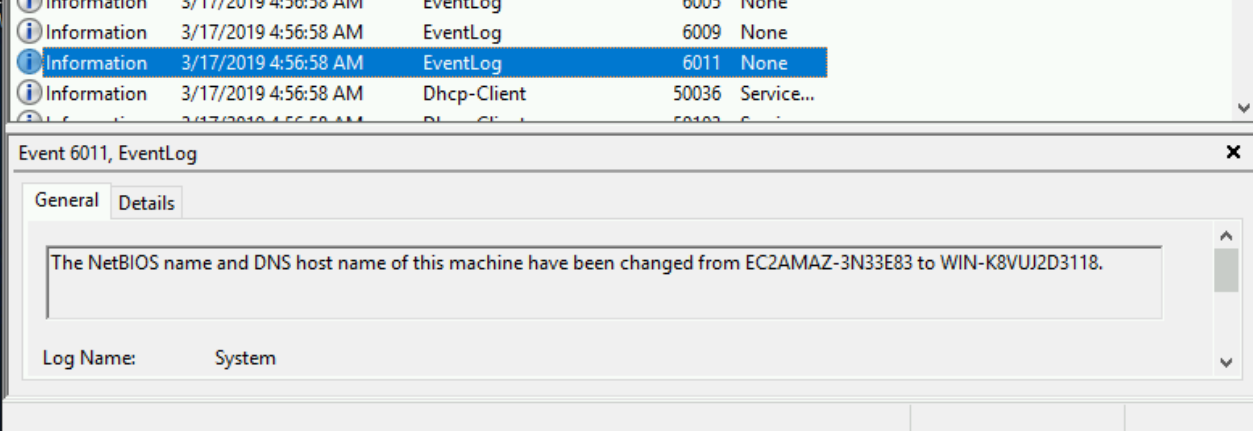
  6. The hostname was changed at 04:56

    rename_generalize
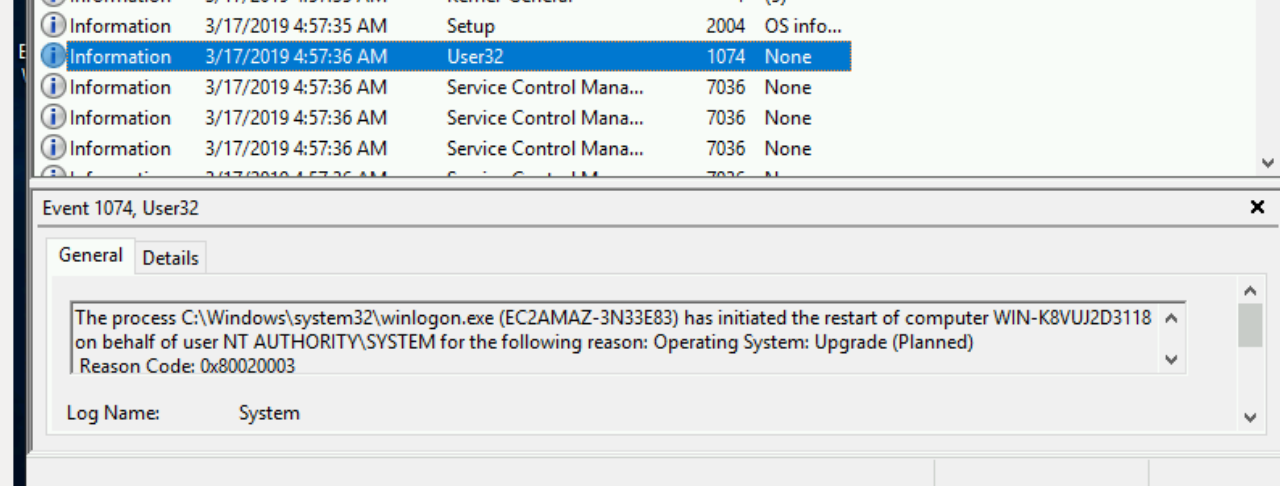
  7. And then restarted at 04:57

    reboot_generalize
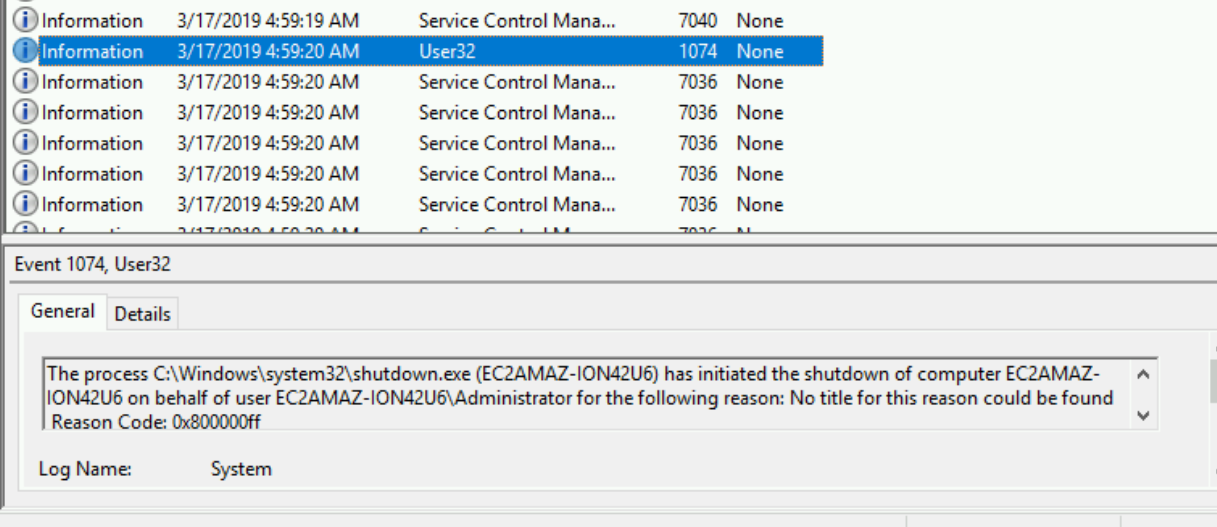
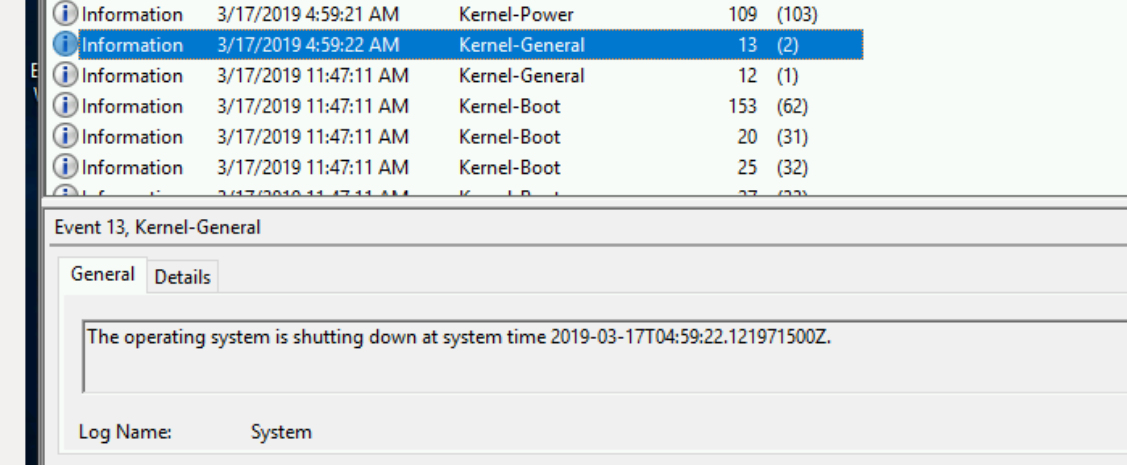
  8. After the instance came back up - it was shutdown once more and returned to the pool at 04:59.

    shutdown-return-to-pool.

    shutdown-return-to-pool2
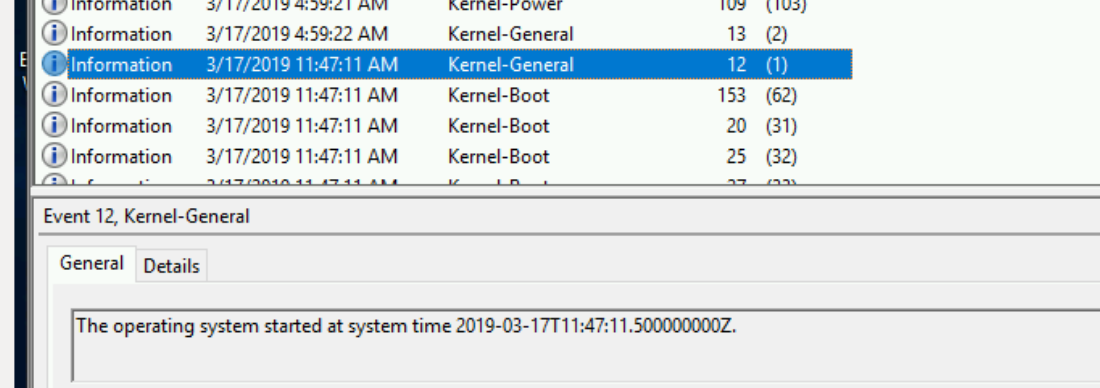
  9. The instance was powered on again (from the pool) at 11:47:11 (30 seconds after my request)

    power-on-from-pool

    More about what this whole process entails further on down the post.

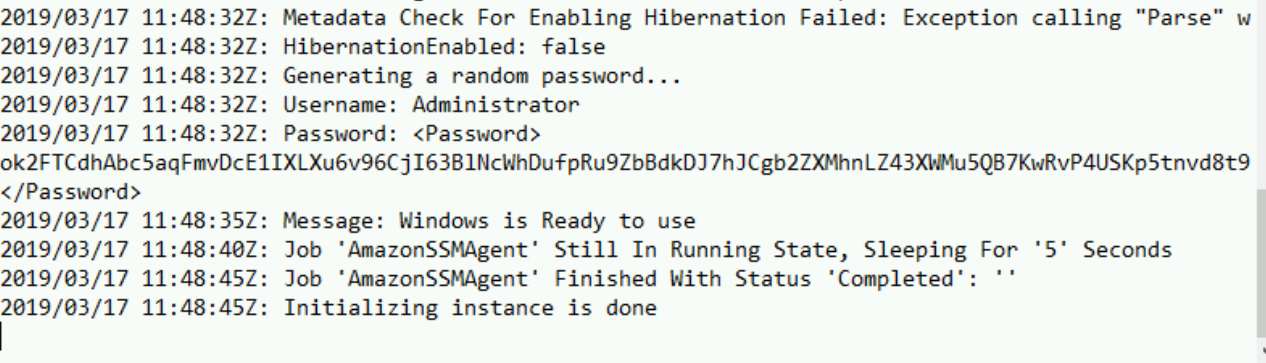
  10. The secret-sauce service then changes the ownership on the instance - and does some magic to manipulate the metadata on the instance - to allow the user to decrypt the credentials with their unique key and allow them to log in.

    ssm_agent
  11. The user now has access to their instance.

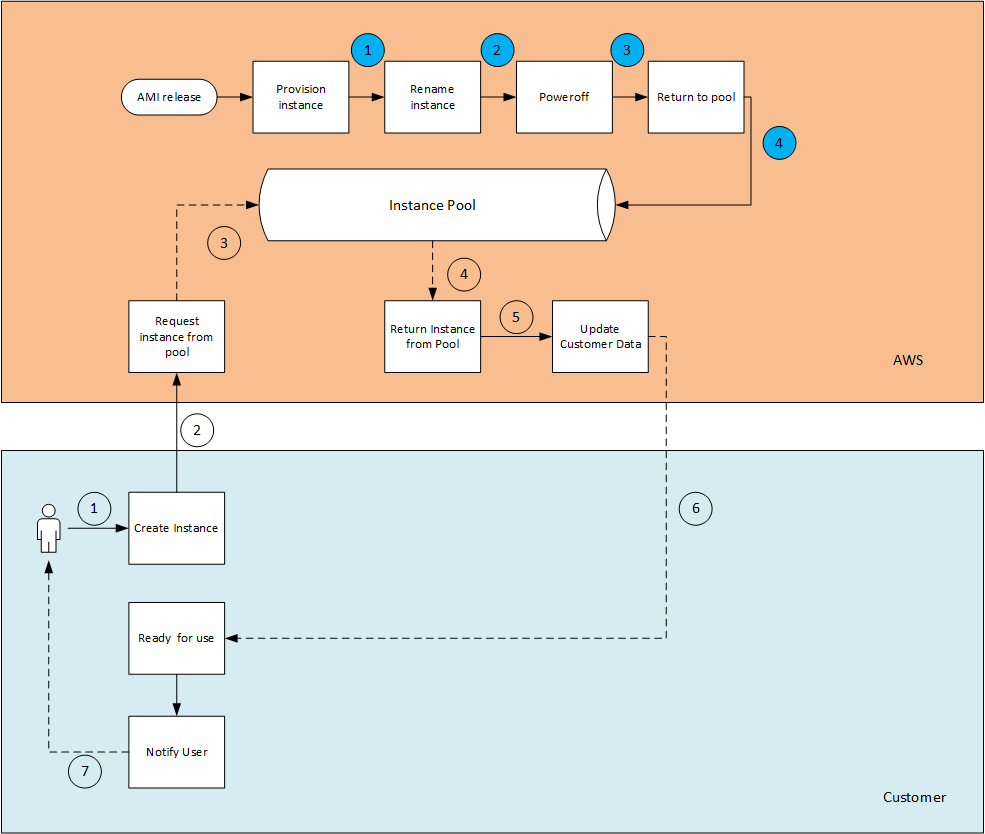
I wanted to go a bit more into the entity that I named the "Instance Pool". Here I assume that there is a whole process in the background that does the following  (and where the secret sauce really lies).

This is is how I would assume how the flow would be:


There are two different entities here at work - one is the AWS backbone service (in orange) and the User/Customer (in blue). Both of the sequences work in parallel and also independent of each other.

  • AWS pre-warm a number of Windows instances in what I named the "Instance pool". They preemptively spin up instances in the background based on their predictions and the usage patterns in each region. I assume that these instances are constantly spun up and down on a regular basis - many times a day.
  • A notification is received that a customer requested an instance from a specific AMI (in a specific region, in a specific AZ and from a specific instance type  - because all of these have to match the customers request).
  • The request is matched to an instance that is in the pool (by AMI, region, AZ, instance type)
  • The instance is then powered on (with the correct modifications of the instance flavor - and disk configuration)
  • The backend then goes and makes the necessary modifications
    • ENI allocation (correct subnet + VPC)
    • Account association for the instance
    • Private key allocation
    • User-data script (if supplied) 
    • Password rotation
    • etc.. etc..
I know that this sounds simple and straight forward - but the amount of work that goes into this "Instance Pool" is probably something that we cannot fathom. The predictive analysis that is needed here to understand how many instances should be provisioned, in which region, in which AZ - is where AWS shines and have been doing so for a significant amount of time.

This also makes perfect sense that when you deploy a custom Windows AMI - this process will not work anymore, because this is a custom AMI and therefore the provisioning time is significantly longer.

And all of this is done why?

To allow you to shave off a number of minutes / seconds wait time to get access to your Windows instance. This is what it means to provide an exceptional service to you the customer and make sure that the experience you have is the best one possible.

I started to think - could this possibly be the way that AWS provisions Linux instances as well?

Based on how I understand the cloud and how Linux works (and some digging in the instance logs) - this is not needed, because the image sizes are much smaller and bootup times are a lot shorter as well, so it seems to me that this "Instance Pool" is only used for Windows Operating systems, and only for AMI's that are owned by AWS.

Amazing what you can find from some digging - isn't it?

Please feel free to share this post and share your feedback on Twitter - @maishsk

2019-03-11

The Anatomy of an AWS Key Leak to a Public Code Repository

Many of us working with any cloud provider know that you should never ever commit access keys to a public github repo. Some really bad things can happen if you do.

AWS (and I assume all the cloud providers have their equivalent) publish their own best practices about how you should manage access keys.

One of the items mentioned there - is never to commit your credentials into your source code!!

Let me show you a real case that happened last week. 
(of course all identifiable information has been redacted - except for the specific Access key that was used - and of course it has been disabled)

Someone committed an access key to a public github repository. 

Here is the commit message 

commit xxxxxxxx26ff48a83d1154xxxxxxxxxxxxa802
Author: SomePerson <someone@some_email.com>
Date:   Mon Mar 4 10:31:04 2019 +0200

--- (All events will be counted from this point) ---

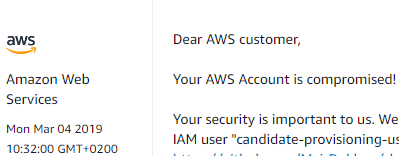
55 seconds later - I received an email from AWS (T+55s)

From: "Amazon Web Services, Inc." <no-reply-aws@amazon.com>
To: john@doe.com
Subject: Action Required: Your AWS account xxxxxxxxxxxx is compromised
Date: Mon, 4 Mar 2019 08:31:59 +0000

1 second later (T+56s) AWS had already opened a support ticket about incident


Just over 1 minute later (T+2:02m) someone tried to use the key - but since the IAM role attached to the user (and its exposed key) did not have the permissions required - the attempt failed!!

(This is why you should make sure you only give the minimum required permissions for a specific task and not the kitchen sink..)

Here is the access attempt that was logged in Cloudtrail


Here is where I went in and disabled the access key (T+5:58m)


Here was the notification message I received from GuardDuty which was enabled on the account (T+24:58m)

Date: Mon, 4 Mar 2019 08:56:02 +0000
From: AWS Notifications <no-reply@sns.amazonaws.com>
To: john@doe.com
Message-ID: <0100016947eac6b1-7b5de111-502d-4988-8077-ae4fe58a87c9-000000@email.amazonses.com>
Subject: AWS Notification Message


Points for Consideration

There are a few things I would like to point out regarding the incident above (which we in the categorized to one of a low severity). 

  1. As you can see above the first thing that the attacker tried to do was to run a list keys. That would usually be the first thing someone would try - to try and understand which users are available in the system (assuming that the user has the permission to perform that action)

    You can read more about how a potential hacker would exploit this in this series of posts.

  2. I assume since the attacker saw that they do not have enough permissions - they decided this was not a worthy enough target to continue to try the exploit. Why waste the time if you are going to have to work really hard to get what you want. That is why we only saw a single attempt to use the key.

    If I was the hacker - I would just wait for the next compromised key and try again.

  3. The reason this attack was not successful - was because the role attached to the User (and its access keys) was built in such a way that they did not have permissions to do anything in IAM.

    This was by design. The concept of least privilege is so important - and 10 times more when you are working in the cloud - that you should implement it - in every part of your design and infrastructure.

  4. AWS responded extremely fast - that is due to them (I assume) scraping the API of all public github commits (for example). It could have been that I was just in time for a cycle - but based on my past experience - the response time is usually within a minute. It would be great if they could share how they do this and handle the huge amount of events that flow through these feeds.

    They still have to match up the exact compromised key to the account, and kick off the automatic process (email+ticket). All of this was done in less than 60 seconds.

    I am impressed (as should we all be).

  5. One thing I do not understand is that why AWS would not immediately disable the key. The business implications of having a key out in a public repo - are so severe - and the  use case that would require a key in the open - is something that I cannot fathom as being a valid scenario. If AWS already find a compromised key, know which account it belongs to, and kick off a process - then why not already disable the key in the process??

    The amount of time and work that AWS would have to invest (in support tickets and calls) working with a customer to clean up the account, forfeit the charges incurred because of the leak - are above and beyond anything they would incur by automatically disabling the key in the first place.

    AWS has started to take a stance on some security features - by disabling thing by default (for example - public S3 buckets) to protect their customers from causing harm to themselves.

    I for one would welcome this change with open arms!


  6. It took me over 5 minutes to actually act on the exposed credential - in 5 minutes, a malicious actor can do some real and serious damage to your AWS account.

  7. GuardDuty - was slow, but it obvious why this was the case. It takes about 15 minutes until the event is delivered to CloudTrail - and GuardDuty then has to analyze based on previous behavior. So this product should not be used for prevention - but rather - for forensic analysis after the fact. There is no real way to identify this data on your own and analyze against your baseline for behavior - so this product is in my honest opinion still very valuable.

  8. How does one stop this from happening?

    There are a number of ways to tackle this question.

    In my honest opinion, it is mainly raising awareness - from the bottom all the way to the top. The same way people know that if you leave your credit card on the floor - there is a very good chance it will be abused. Drill this into people from day 1 and hopefully it will not happen again.

    There are tools that are out there - that you can use as part of your workflow - such as
    git-secrets that prevent such incidents from even happening - but you would have to assure that every single person, and every single computer they ever work on - would have this installed - which is a much bigger problem to solve.

    Install your own tools to monitor your repositories - or use a service such as GitGuardian that does this for you (not only for AWS - but other credentials as well). 
As always please feel free to share this post and leave your feedback on on Twitter @maishsk

2019-03-04

AMI has 3 Syllables. A.M.I. #AWS

Just to make this clear

(before someone get's the wrong idea...)

This 100% fun. Humor.

Not religion. Not a mission.

Just having some fun at the expense of AWS..


If you follow me on Twitter (and if you don't - your loss..) then you will know that I am one of many that are on a crusade.

A crusade to right a wrong.

A wrong that some who work in a company called Amazon Web Services (a.k.a. AWS) have tried to indoctrinate the world with a lie, something that is just plain wrong.

And the crusade about I speak - is the religious debate about how you pronounce AMI
(Amazon Machine Image)

You will find many references to this over the past few years:

Twitter Thread
Last Year in AWS
Last week in AWS - Issue #35
Another Twitter thread
And another
And yet another
Abby Fuller's post
This recording


And of course the one and only Corey Quinn

I decided that I cannot idly stand by and let this injustice continue.

I took a step. I took a stand (and I started with a donation of 2 Euro for the domain name)


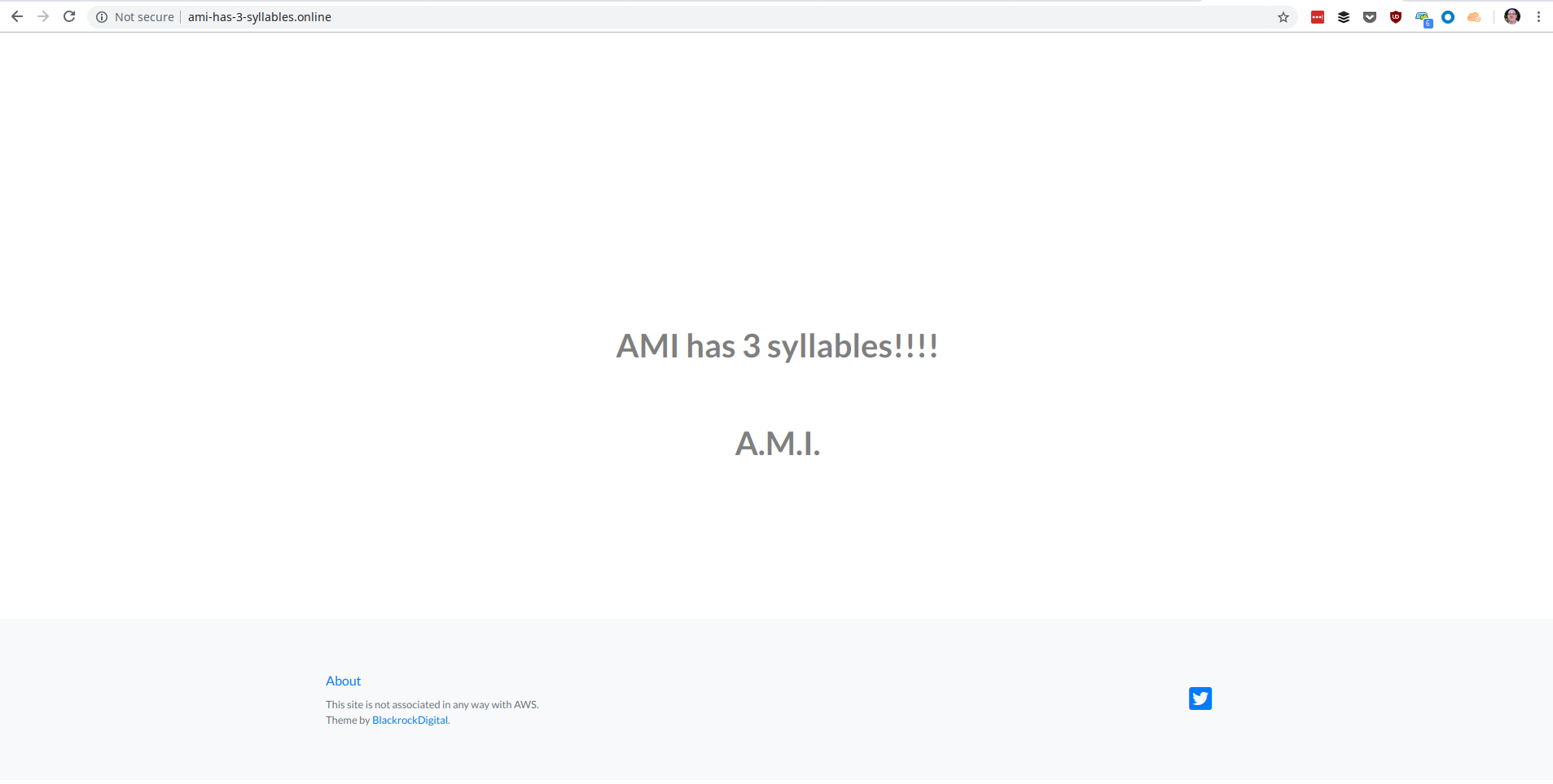
AMI has 3 syllables


http://ami-has-3-syllables.online

And in my ramblings back and forth with Corey - he enlightened me to the following fact
(which is so unbelievably true)

I managed to release the perfect AWS product (on a budget of $2 - really proud of myself)

Perfect launch


1. People have no idea how to use it
2. It has a stupid name that you cannot remember
3. The graphics suck... (sorry I have not done HTML/CSS in - I do not know how long)
4. No TLS

So in the spirit of this perfect release - I thought about how this would work with a real AWS product launch, and therefore I will iterate over time to improve the product.

Here is the plan (in the reverse order from above)..
  1. Implement TLS ( I actually could do that today - but I am going leave like this for the launch in the spirit of a new product)
    ** Edit ** - Implemented 05 March, 2019
  2. Fix up the graphics
    (Here I am going to crowdsource and look to you all - and if anyone wants to step up and improve my crappy artwork - reach out - I would be happy to get some help.
    Feel free to reach out on to me @maishsk)
  3. Plug the name to death - until people remember the name - in their sleep
    For this - say hello to @3_syllables (feel free to follow)
  4. Implement a bot that will interact with people who don't know how to pronounce A.M.I.
    (and maybe add some statistical functionality on the bot's activity to the site)


Feel free to share - and leave me your thoughts on Twitter

2019-02-22

Separate VPC's can do More Harm Than Good

I have come across this a number of times of the past couple of months. Environments that were born in the datacenter, have grown in the datacenter - in short people who are used to certain (shall we say - ‘legacy’) deployments, and they they are in the midst of an attempt to mirror the same architecture when moving to the cloud.

I remember in my old days that our server farm had a separate network segment (sometimes even more than one) when I was using physical servers, (while I write this - I actually think it has been about 4 years since I actually touched a physical server, or plugged a cable/disk/device into a physical server) for our Domain controllers, Applications servers, and users had their own network segments that were dedicated only to laptops and desktops.

In the physical/on-prem world - this made sense - at the time - because what usually happened was the dedicated networking team that managed your infrastructure used access lists on the physical network switches to control which networks could go where.

Fast forward to the cloud.

There are people which equate VPC’s with Networks (even though it makes more sense to equate subnets to networks - but that is besides the point) - and think that segregating different kinds of workloads into multiple VPC’s will give you better security.

Let me give you a real scenario that I was presented with not too long ago (details of course have been changed to protect the innocent … )

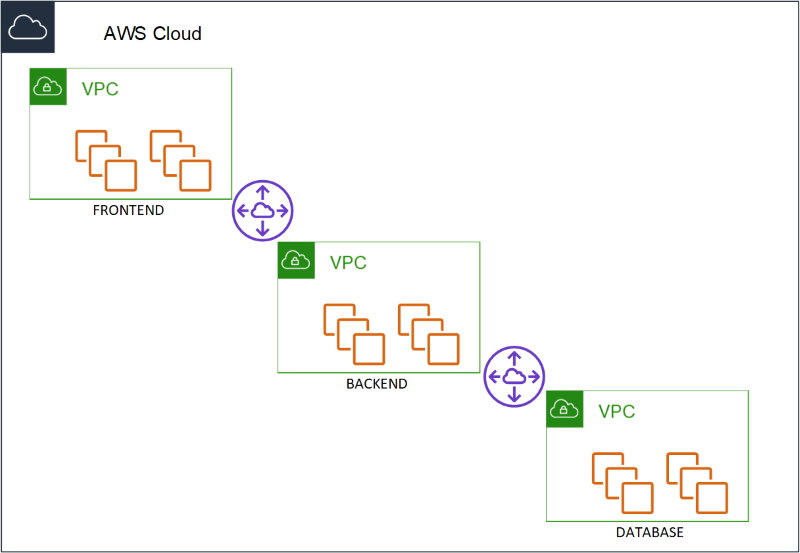
A three tier application. Database, Application and a frontend. And the requirement that was laid down from the security team was that each of the layers must reside in the their own VPC. Think about that for a minute. Three VPC’s that would be peered to ensure connectivity between them (because of course the 2/3 layers needed to communicate with each other - Database - application and application to frontend). When I asked what was the reason for separating the three different layers in that way, the answer was, “Security. If for example one of the layer was compromised - it would be much harder to make a lateral move to another VPC and compromise the rest.”


So what is lateral movement? I know that there is no such a thing as a 100% secure environment. There will always be hackers, there will always be ways around any counter measures we try and put in place, and we can only protect against what we know and not against what we do not. The concept of lateral movement is one, of compromising a credential on one system and with that credential moving to another system. For example - compromising a Domain admin credential on an employees laptop - and with that credential moving into an elevated system (for example a domain controller) and compromising the system even further.

So how would this work out in the scenario above. If someone would compromise the frontend - the only thing they would be able to connect to would be the application layer - the frontend - does not have any direct interaction with the database layer at all, do your data would be safe. There would be a peering connection between the Frontend VPC an the Application VPC - with the appropriate routing in place to allow traffic flow between the relevant instances, and another peer between the Application VPC and the Database VPC - with the appropriate routing in place as well.

What they did not understand - is that if the application layer was compromised - then that layer does have direct connectivity with the data layer - and therefore could access all the data.

Segregating the layers into different VPC’s would not really help here.

And honestly - this is a risk that you take - which is why the attack surface you have - exposed on your frontend - should be as small as possible - and secure as possible.

But I came back to the infosec team and told them - what if I would provide the same security and segregation that you were trying to achieve but without the need of separate VPC’s ?

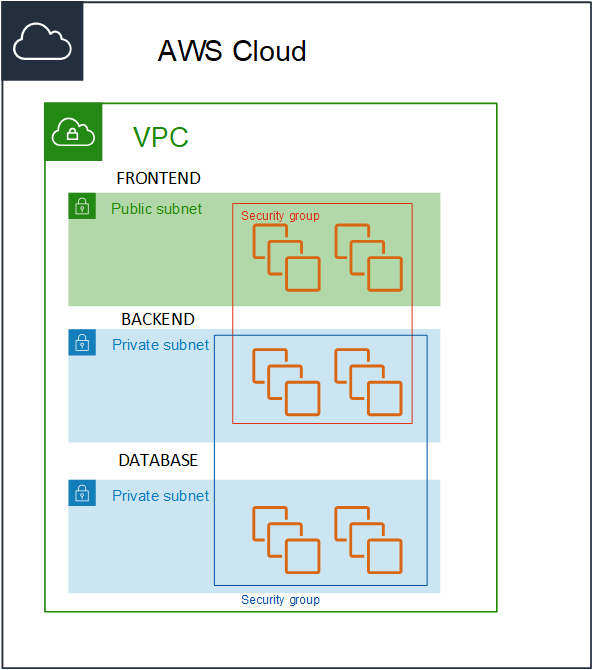
I would create a Single VPC - with three subnets and three security groups, Frontend, Application and Database. Instances in the frontend security group would only be allowed to communicate with the instances in the application security group on a specific port (and vice-versa) and the instances in the application security group would only be allow to communicate with the instances in the database security group (and vice-versa).


The traffic would be locked down to the specific flow of traffic and instances would not be able to communicate out of their security boundary.


As a side note - this could have also been accomplished by configuring very specific routes between the instances that needed to communicate between the VPC’s, but it does not scale to an environment larger than a handful of instances. Either you need to ensure that the IP addresses in a manual fashion, or keep on adding multiple routes in the route tables.

It goes without saying that if someone managed to compromise the frontend, and somehow managed through the application port to gain control into the application layer - they could gain access (in theory) to the data in the data layer.

Which is exactly what happened in the same scenario with 3 separate VPC’s. No less secure - no more.

But what changed??

The operational overhead of maintaining 3 VPC’s for no specific reason was removed.

This includes:

  • VPC Peering (which has a limit)
  • Route tables (which has a limit)
  • Cost reduction

I could even take this a bit further and say I do not even need different subnets for this purpose - I could actually even put all the instances in a single subnet and use the same mechanism of security groups to lock down the communication. Which is true. And in an ideal world - I probably would have done so - but in this case - it was a bit too revolutionary to already have made the step of going to a single VPC - and to go to a single subnet - was pushing the limit - maybe just a bit too far. Sometimes you need to take small victories and rejoice and not go in for the jugular.

I would opt into option of using separate VPC’s in some cases such as:

  • Different owners or accounts where you cannot ensure the security of one of the sides.
  • When they are completely different systems - such as a CI system and production instances
  • A number of other different scenarios

The bottom line of this post is - traditional datacenter architecture - does not have to be cloned into your cloud. There are cases where it does make sense - but there are cases where you can use cloud-native security measures - which will simplify your deployments immensely and allow you to concentrate as always on the most important thing. Bringing value to your customers - and not investing your time into the management and maintenance of the underlying infrastructure.


Please feel free contact me on Twitter (@maishsk) if you have any thoughts or comments.

2019-01-04

I was not expecting this at re:Invent

There was a lot to absorb during the jam packed week in Las Vegas but there were a number of things that I was truly surprised about during the conference..

It was clear that AWS is going after the Enterprise market and are accommodating the on-prem / legacy / old-school way of thinking. This is the first re:Invent that you could really feel the change.

Here are a few of them:

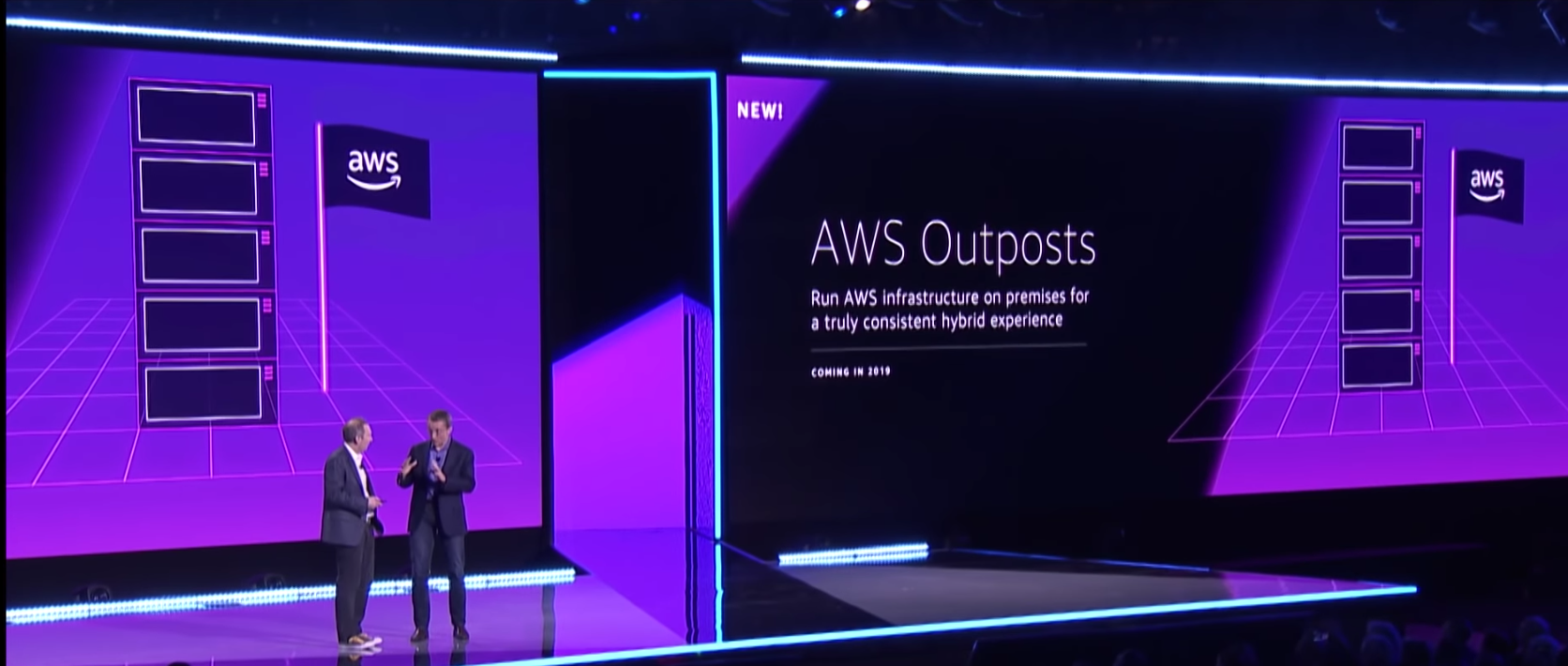
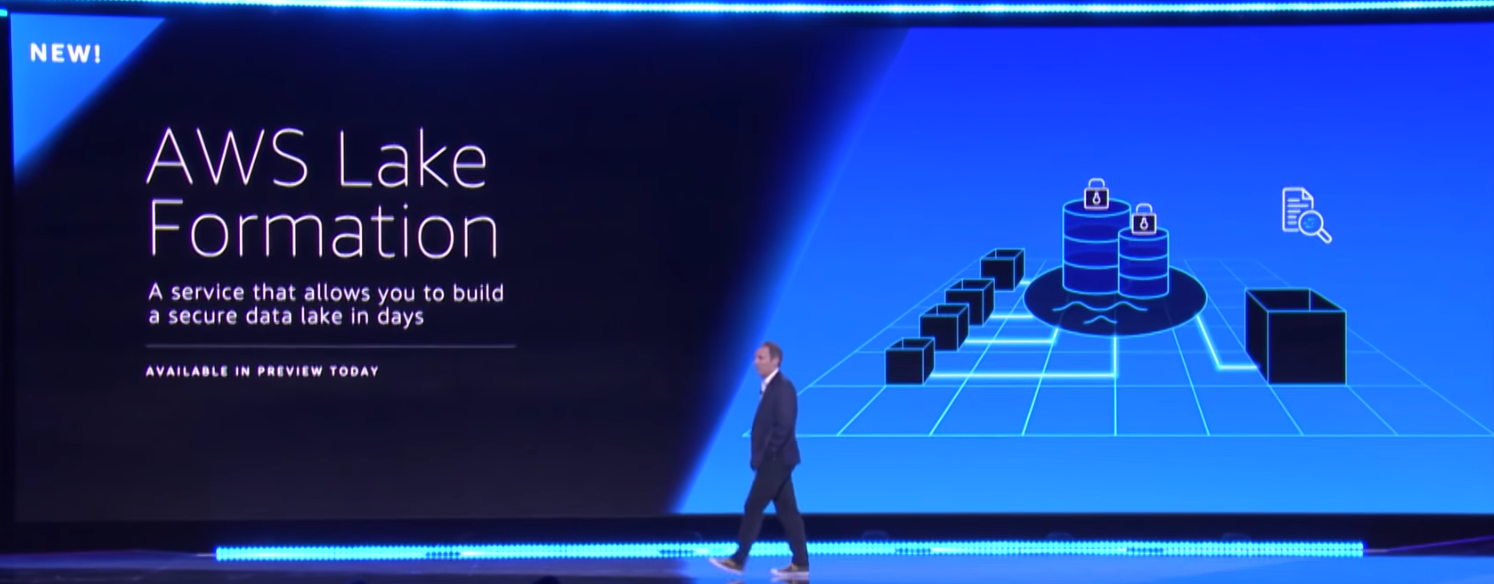
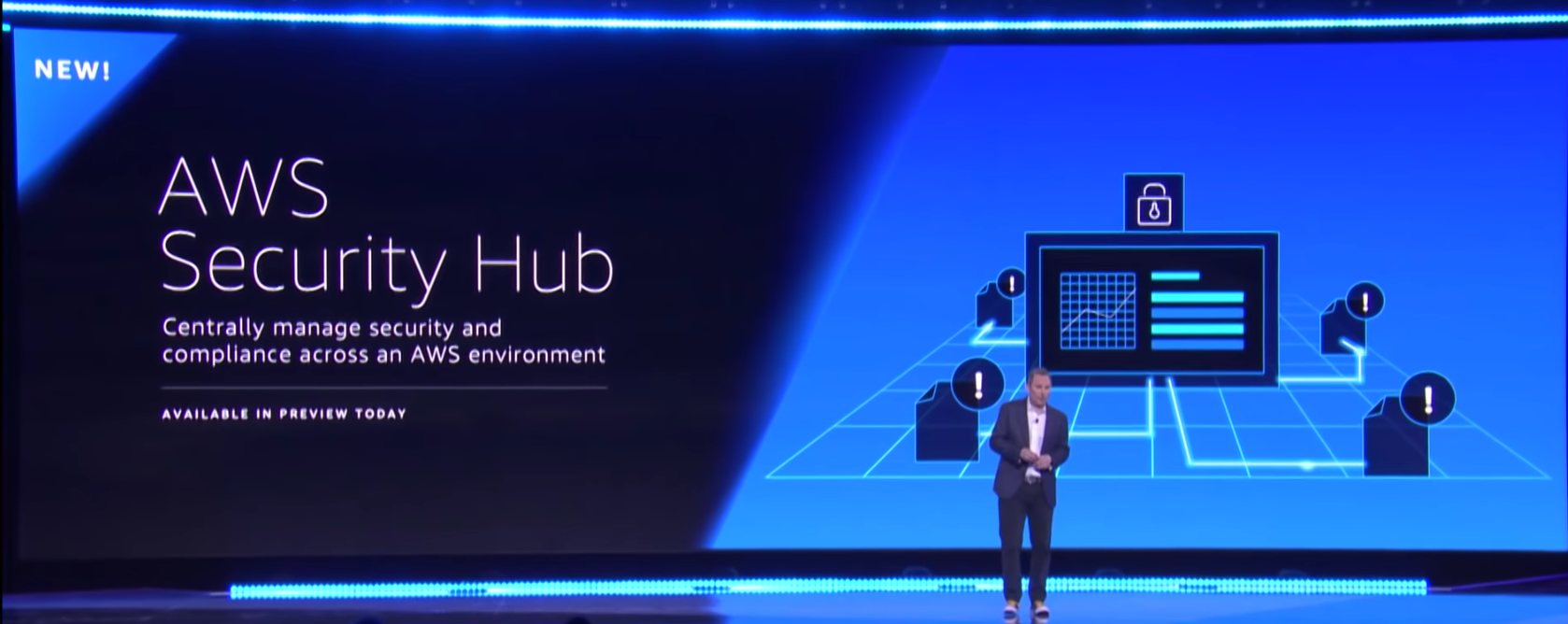
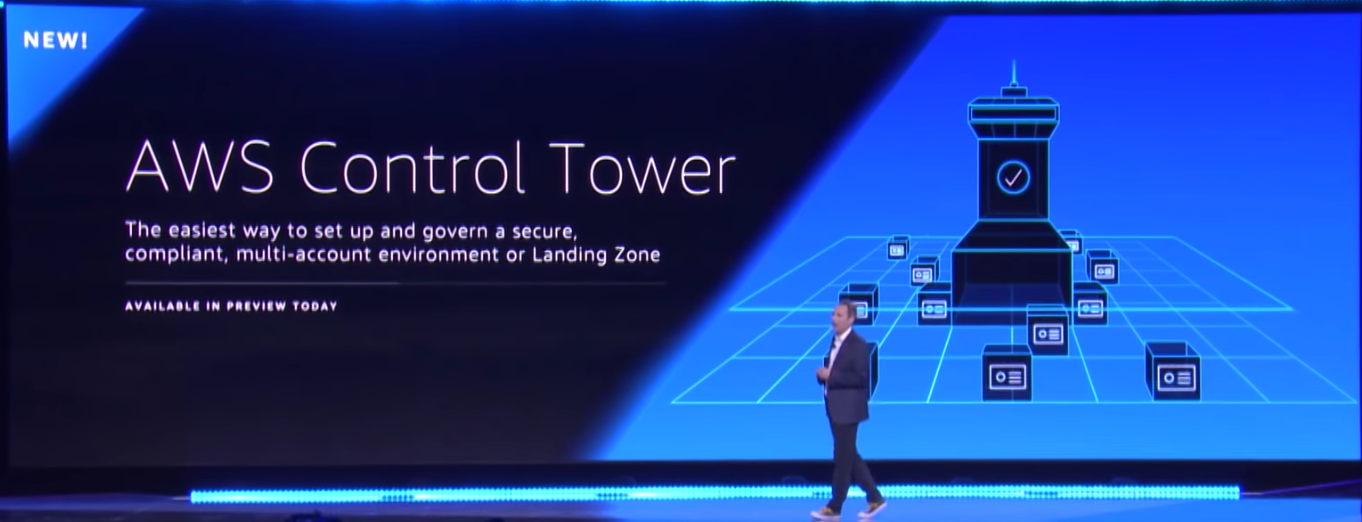
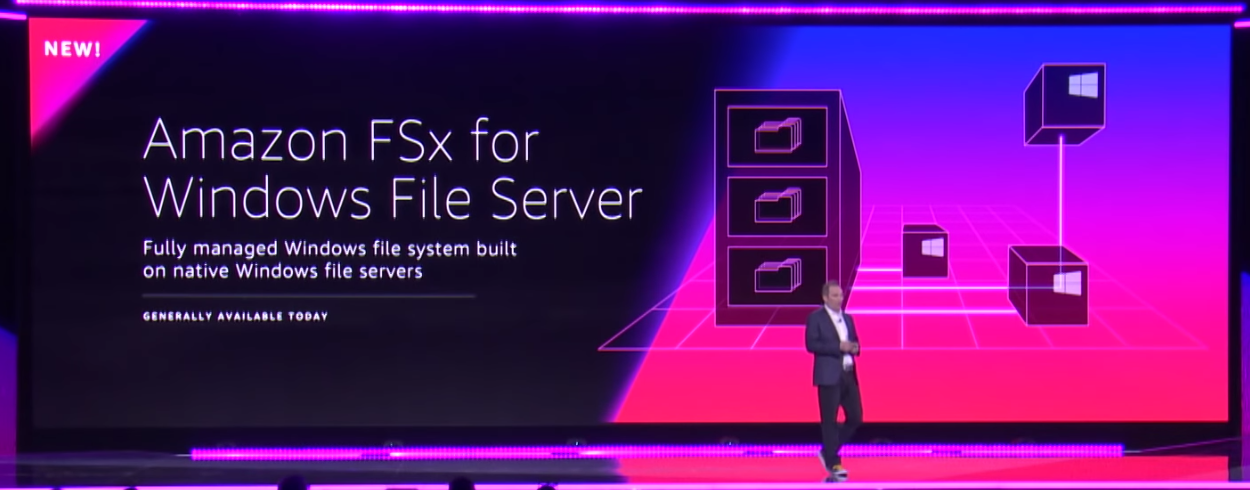
AWS Outposts

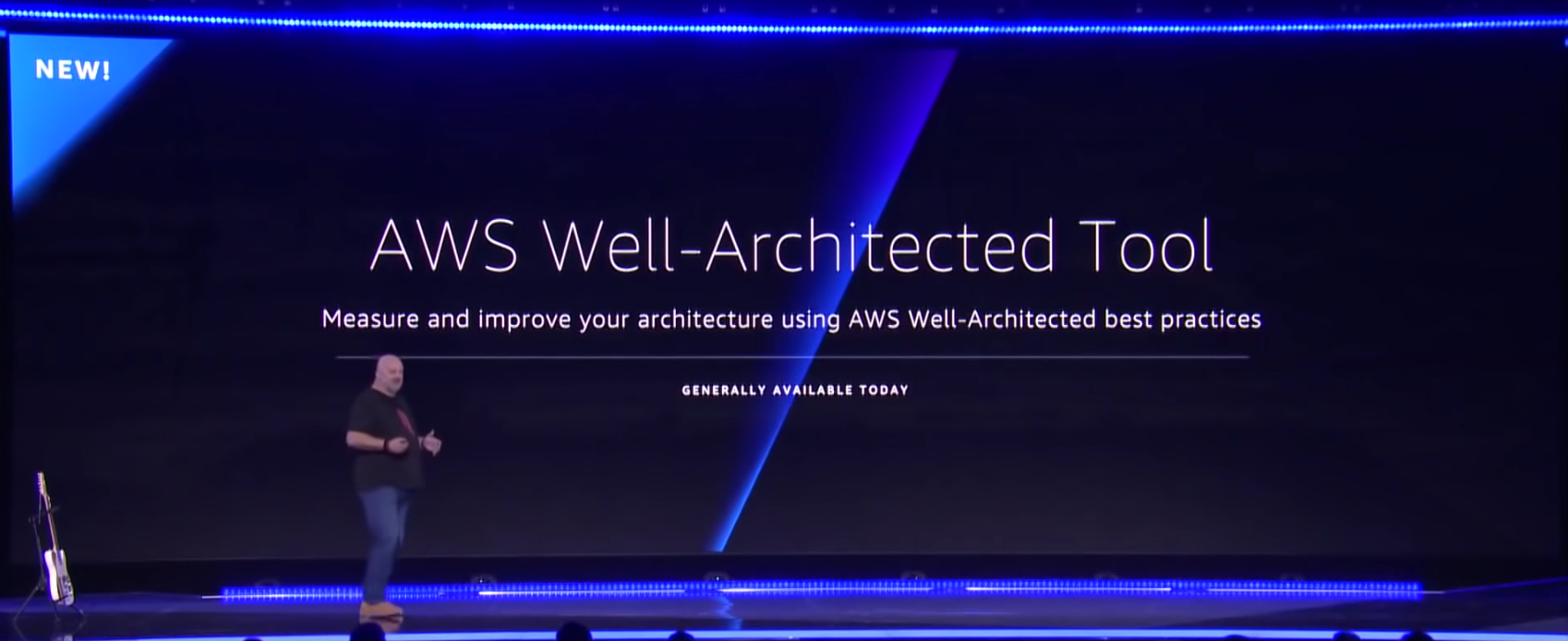
AWS Well Architected
Lake Formation

Security Hub

Control Tower

FSx


Next was containers or the lack of containers actually. There were no significant container announcements. ECS and EKS - were not mentioned once during the keynote. No new functionality, no new features. For the product that was probably the most demanded release that everyone wanted last year at re:Invent - this year - it was crickets all the way down. I was thinking that AWS was saving some glory and glitters for the Kubecon conference the week after - but all that really came out of there was the Containers Roadmap (which is actually amazing - because AWS never disclose what their roadmap is - at least not publicly. I suppose it is expected of them as their keeping up the image of Opensource contribution and championship).

And the last shocker was the fact that inbound traffic to S3 is now going to cost you money.. 

Wait, What? You are now charged for uploads to S3????
Well that is not entirely true. Traditionally - you do not pay for incoming traffic into S3 - it says that black on white.  

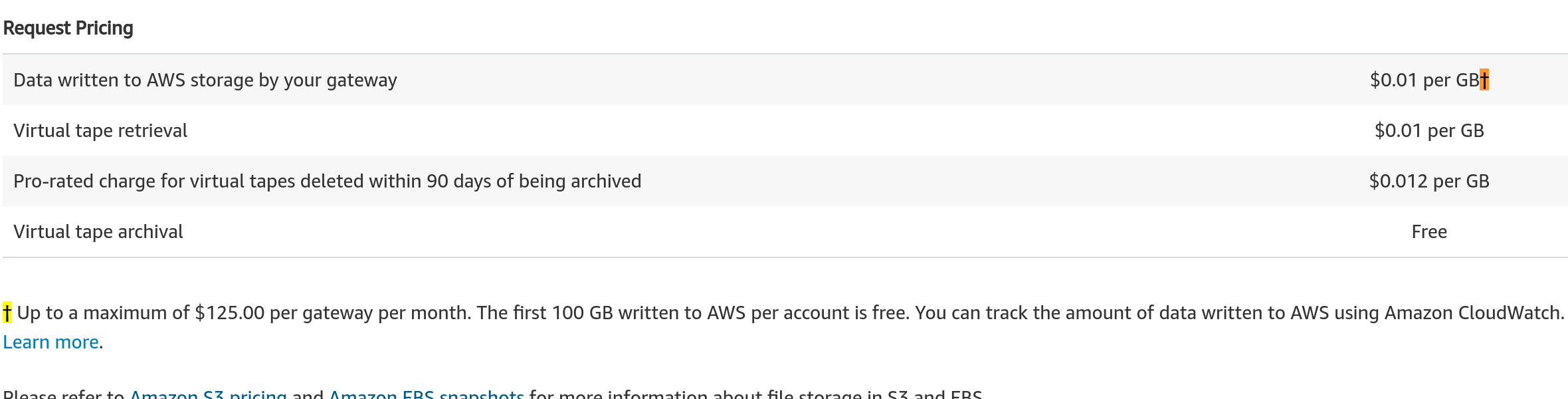
s3 Pricing


So no you are not charged for direct uploads to S3. But if you do it through another service that acts as a proxy to S3 - then that's different.

Storage Gateway was one such a service.

Storage Gateway

Here you are allowed 100GB for free each month and capped at a maximum of $125 / month. For a company that transfers hundreds and thousands of TB a month - the $125 is chump change which essentially makes it pretty much free.

And then came AWS Transfer for SFTP and the change that no-one really noticed.

SFTP Pricing
Whoa!! Not only are you being charged for 4x the amount of any other service,  you are not capped at a maximum monthly spend, and you get no free monthly uploads either.

You use it - you pay (and pay for it you will).

Next up was DataSync

Datasync Pricing


Again - same new price of $0.04/GB for transfer traffic into S3.

Pricing example

Their pricing example as well
If you were to do the exact same thing - but with regular S3 upload. 
If you perform a one-time migration of 50 TB of 16 MB files into Amazon S3 in US East (Ohio), it costs you the following to use S3 cli
(50 TB copied into S3 * 1024 GB * $0.00 / GB) + (1 S3 LIST request * $0.005 / 1000) + (50 TB / 16 MB S3 PUT requests * $0.005 / 1000)
= $0 + $0 + $16.38
= $16.38
That is one heck of a difference. Now I have not tested the difference in speed, or throughput you can get from Datasync - I am sure there is a difference in the data transfer speeds.

But for me this is troubling. The whole bloody world uses S3 (granted most of the traffic is going from S3 out of AWS). Are AWS planning a change in their pricing model? Even if it is $0.04/GB - this would be a huge channel of additional revenue for them. Something to ponder on.

The pricing model that is now attached to S3 uploads seems strange to me - especially if you are receiving the exact same thing through another route for free. If it would have been network traffic through the service - I would have easily been able to accept.
And last but not least, Werner Vogels finished his keynote on time this year. Well done and thank you for assisting in the effort of improving our experience at re:Invent this year.

Thoughts? Comments? 
Feel free to reach out to me on Twitter (@maishsk)

2018-12-19

AWS Client VPN

So after leaking (or not really leaking) from some of the sessions from re:Invent it seems that AWS have finally released the Client VPN

AWS Client VPN is a managed client-based VPN service that enables you to securely access your AWS resources and resources in your on-premises network. With Client VPN, you can access your resources from any location using an OpenVPN-based VPN client.
So instead of you having to provision a EC2 instance on your own and configure your own OpenVPN server - you can use this service

But pricing is outrageous...

$0.05 per AWS Client VPN connection hour
$0.10 per AWS Client VPN endpoint association hour

Assuming I would like to bring up a EC2 instance that would handle a 5 VPN connections and I leave the server running 24/7 for a month users connect for approximately 8 hours a day - 5 days a week
LEaving this service provisioned for the entire month would cost

0.10 * 750(hours in a month) = $75
0.05 * 5(people) * 8(hours) * 5 (days) * 4 (weeks) = $40

Total cost for one month - $115

If I were to roll my own on EC2

Using a t3.small instance (2vCPU/2GB ram) should be more than sufficient.

0.02 * 750 (hours in a month) = $15


OK - it is not comparing apples to apples - not by a long shot

Client VPN offers the following features:

Secure — It provides a secure TLS connection from any location using the OpenVPN client.
Managed service — It is an AWS managed service, so it removes the operational burden of deploying and managing a third-party remote access VPN solution.
Highly available and elastic — It automatically scales to the number of users connecting to your AWS resources and on-premises resources.
Authentication — It supports client authentication using Active Directory and certificate-based authentication.
Granular control — It enables you to implement custom security controls by defining network-based access rules. These rules can be configured at the granularity of Active Directory groups. You can also implement access control using security groups.
Ease of use — It enables you to access your AWS resources and on-premises resources using a single VPN tunnel.
Manageability — It enables you to view connection logs, which provide details on client connection attempts. You can also manage active client connections, with the ability to terminate active client connections.
Deep integration — It integrates with existing AWS services, including AWS Directory Service and Amazon VPC.
Are all these extra features worth paying so much more for this managed service?
You are the only one that can answer this.

I am throwing the gauntlet out there - for someone to write the code that will enable the provisioning of a VPN Endpoint on demand - based on usage - which will make this service more cost effective.

2018-12-10

#AWS Outposts - told you so..

I called it - to me it was obvious that this was going to happen. The signs were all there. This was the direction that the market has been pushing for, and AWS has a reputation of giving the customers what they ask for.

The last announcement that was Andy Jassey made on the keynote on Wednesday - was AWS Outposts.

Here was the announcement. Usually Jeff Barr (or as of late - someone else on the Technical Evangelist team) have a detailed blog post - on a new product that was just announced.

For AWS Outposts - nada… The only thing that is out there - is the announcement - and a “TBD” product page - https://aws.amazon.com/outposts/

image

Once the announcement was made - VMware went all out with as much information as they could describing the VMware variant of AWS outposts https://cloud.vmware.com/community/2018/11/28/vmware-cloud-aws-outposts-cloud-managed-sddc-data-center/

Blog posts, interviews, sessions you name it they went all in - for a very good reason - if you ask me. This expands their VMware Cloud on AWS in a substantial way.

And who was missing from this announcement ? AWS.

To me this is puzzling. The one sided coverage of something that is supposed to be a joint venture, means that either - this was a pure publicity announcement - and the product has not yet been finalized - or AWS dropped the ball on this one - big time!!

So what do we know about a this product? It will come in two flavors:

  • VMware Cloud on AWS Outposts allows you to use the same VMware control plane and APIs you use to run your infrastructure

  • A native variant of AWS Outposts allows you to use the same exact APIs and control plane you use to run in the AWS cloud, but on-premises. 
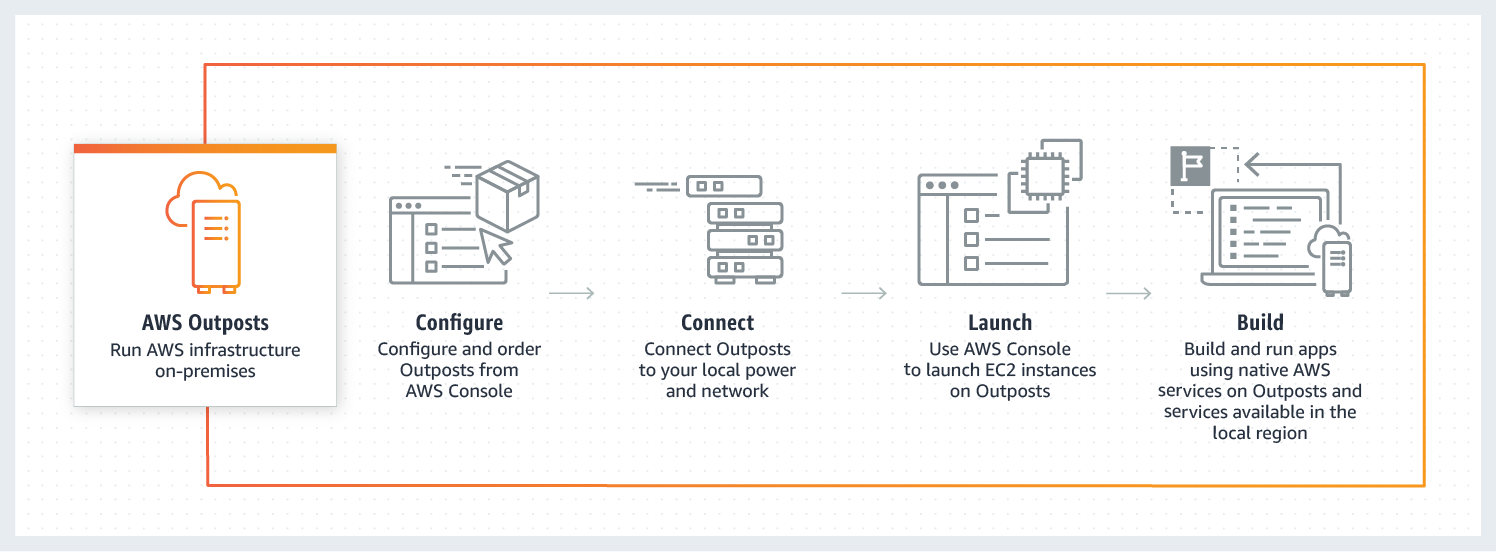
The AWS native variant of AWS Outposts allows you to use the same exact APIs and control plane you use in the AWS cloud, but on-premises. You will be able to run Amazon Elastic Compute Cloud (Amazon EC2) and Amazon Elastic Block Store (Amazon EBS) on Outposts. At launch or in the months after, we plan to add services like RDS, ECS, EKS, SageMaker, EMR.

Not a word has been published since the announcement, of how this is going to work from the perspective of the  “AWS variant” Outposts.

I even went as far and asked Jeff Barr - what is the story here. The funny thing is - I actually met him at Starbucks about 15 minutes after I posted the tweet.

His answer (if my memory serves me correctly) was..

“The team had not yet had the opportunity to go into detail into the new offering, and would be publishing more details about it"

To me Outposts - is the biggest announcement of the whole of re:Invent - if played correctly - it will remove any and all competition that is hoping to provide a Hybrid cloud story - one that enterprises can understand.

You want AWS - you can have it - in the cloud - and also on prem - the same exact experience - this is something that customers have been asking for years for AWS to provide (and also something that AWS have consistently been completely against - because everything and anything should run in AWS - there is no need for on-prem… - until now :) )

And mark my words, once you have an Outpost in almost every single datacenter - the need for Edge locations in each and every country - will be no more...

I guess we will have to wait for the aftermath to die down - and wait to see exactly how this going to work….

And now some of my personal thoughts about this whole topic.

There are a lot of moving parts that AWS will now have to go into - especially regarding the logistics of providing the end service to the customer.

If you remember there was once another product - that provided you with a similar service - yep I am talking about the vBlock - a joint venture from VMware, Cisco and EMC. Which went the way of the dodo. The partnership fell apart for a number of reasons.

Customers loved the solution!! You had a single number to call - for anything and everything related to the deployment. Disk died? Called the support number. Network not working? Call the support number.  vSphere doing some crazy shit? Call the same support number. One neck to throttle, and customers loved it.

And now you have Amazon selling you hardware - or should I rather say leasing you the hardware. You will not own it - you will pay as you go.  I assume that there will be a commitment - of some kind - and you will not be able to order by the hour - the logistics on per hour would be too complicated.

But speaking of logistics - if there is a company that commit to having a 4 hour delivery time on a failed piece of hardware - it is Amazon - with their global presence. They have  the logistical capability to ensure delivery of practically anything in their inventory to anywhere in the world - in the shortest amount of time.

But there are still many unknowns... here are  a few that come to mind:

  • Will this come with a networking component? I assume it will - what will that network component be? Software? Hardware?
  • By providing you (the customer) with the same experience and AWS hardware - are they risking exposure of how AWS works getting out? I assume that this will be covered in TOS and NDA that you sign as part of the upcoming service.
  • I assume there will be redundant network connectivity requirements in order for this to work - I will also go out on a limb and say that a Direct Connect link will be a requirement as well. This means that it will be only be suitable for a certain piece of AWS's customers. Perhaps redundant VPN's might be suitable as well.
  • What happens if/when the AWS endpoints are not available?  How if at all can the instances and the workloads on the Outpost be managed?
  • How self-service  will the offering be? I assume it will only be a node-by-node expansion - or per 1/4 rack. you will not be able to add more disks on your own, more RAM on your own etc. This makes sense.

In short - since this was announced at re:Invent 10 days ago - and that AWS have already stated this will not be available before H2 2019 - I do not expect that we will see anything before October/November 2019 (but that is just my hunch).

At the moment - there is a lot more to this announcement than meets the eye....

2018-12-05

My overall impression of re:Invent 2018 #reInvent #aws

I am now on a plane on my way back home, on a really long flight from SFO to TLV (13.5 hours) so now is a good time to re-cap and reflect on what happened last week at re:Invent.
I think that this will be a set of posts - because there are a number of topics that I would like to address - and some of them deserve their own dedicated insight.

The first and foremost post I would like to go into - is the overall impression about of the conference.

IMG_20181125_140329

 
AWS made a significant number of changes as compared to last years event. And overall - I found the event to be amazing!!

 
If you ask me - last year’s event was not user friendly, for a number of reasons.

  • Tracks were located in a single venue. That meant going between topics was not really possible.
  • Transport - the shuttles had a route - along a number of of the venues. The shuttles took a great deal of time.
  • Lines in the sessions were bad - they were really bad - people were lining up for hours before, without any real indication if they were going to get into a session.
  • The mobile app - was pretty much useless - and was not at all helpful.
  • The amount of repeats were not enough, and overflow sessions were also scarce.

This year AWS fixed all of the above.

  • Tracks were not restricted to a single venue, you could get ML, serverless, Storage and networking - were not only in one venue - but in multiple venues, that meant you did not need to bounce around between the venues.
  • The shuttles were point to point. No more round trips. This was brililant to save time - but on the other hand - there were a number of times where there were 3-5 people on a shuttle at times, not really an efficient way to spend money - it was kind not elastic in any way - and not well utilized from a cost perspective.
  • The mobile app - was much better, still slow as hell - but there was more functionality. Such as when will the sessions be repeated, what sessions have open seats right now, how much time it will take to get from one venue to the other - in real-time.
  • There were many more overflows… The amount of repeats were by large - more than we had last year - which meant you had an option to choose..

The lines this year for sessions - were better - much, much better!! No more lines of 500 people wrapping round the whole of the Venetian to get into a session. No more disgruntled attendees - who were not able to get into a session after having waited for an hour in line.

Lines for buses were much shorter - no more “routes” - but point to point - which was very well managed and funneled throughout the event.

You were not allowed to line up for a session more than an hour in advance. Now this solved most of the long line problems, but was not always enforced (take the DeepRacer sessions for example)

For me the overall impression was amazing. I think that I was only turned away from a single session throughout the whole event - and that was a builder session - which I was not registered to.  I managed to get into any session I wanted, not only frontal sessions, but also workshops as well.

AWS pride themselves on being fanatical about their customers, they listen to what their customers want, they listen to their feedback and they want to make thing better, they want to solve our problems. The feedback that I heard from attendees from last year was that it was a in plain words - a train wreck - because of all the reasons above.

If you ask me - they addressed all of the feedback points, and fixed almost all of them.

And for that I take my hat off to the event team - and say Bravo, that is a job well done.

Next posts will go into some more details about the announcements and some of the sessions.

2018-11-12

How I Get the Most Out of #AWS re:Invent 2018

I am not an expert, and I only went to re:Invent for the first time last year, but I have been to a quite a number of conferences over the years.

So here come my thoughts about making the most of the crazy week in Vegas.

re:Invent


The (regular) sessions


Contrary to what you might think, going to sessions where you have a speaker (or speakers) up on stage going through a slide deck, or a panel of speakers talking about a subject - is where you should be, is not a good use of your time.

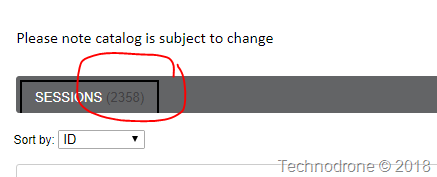
There are currently 2358 sessions and activities listed on the portal (a good portion of them are repeats - but hell that is a lot of content)sessions

Almost all of the sessions (I will get back this in a few minutes) are recorded and therefore can be consumed after the event - in the car, on the bus or train - or even in the air during your travels.

Here is a podcast feed (http://aws-reinvent-audio.s3-website.us-east-2.amazonaws.com/2017/2017.html) for all 2017 sessions for your listening pleasure.

That is why you can spend your time better elsewhere.


The Builder / Chalk Talk / Workshop sessions


Here is where I would spend my time. The cost of re:Invent (if you paid the full price) is $1,800 for 4.5 days (Friday is a short day). These are the sessions that will not be recorded and where I will probably get the most benefit
(and here are some of my interests). The value I receive is from doing things that I learn from, not by being a passive listener, but by actively participating in a discussion or an activity.


Chalk talks


This is similar to getting a design session and time with an AWS expert in their field and diving deep into a specific subject. Most of the sessions are level 300/400 - which meant they are advanced and highly technical. The rooms are small - usually no more than 50-100 people and the participants there are usually people that are looking for a very specific answers about the journey they have embarked on - or are about to.

ARC210-R - SaaS Jumpstart: A Primer for Launching Your SaaS Journey
ARC213-R - Architecting for the Cloud
ARC216 - SaaS Operations: The Foundation of SaaS Agility
ARC301 - Cost Optimization Tooling
ARC306 - Breaking up the Monolith
ARC310-R - From One to Many: Diving Deeper into Evolving VPC Design
ARC317-R - Reliability of the Cloud: How AWS Achieves High Availability
ARC325 - SaaS Analytics and Metrics: Capturing and Surfacing the Data That's Fundamental to Your Success
ARC326-R1 - Migrating Single-Tenant Applications to Multi-Tenant SaaS
ARC408 - Under the Hood of Amazon Route 53

Builder Sessions


Looking for some personal time with an SA on a specific topic, and even better - you get to build the solution at hand with the guidance from the expert on-hand. Pure learning experience.

ANT402-R - Securing Your Amazon Elasticsearch Service Domain
ARC415-R - Building Multi-Region Persistence with MySQL

Workshops


Again - a hands-on learning experience - 2-3 hours of sitting down on a specific topic getting my hands dirty...

ARC404 - Designing for Operability: Getting the Last Nines in Five-Nines Availability
ARC315-R1 - Hands-On: Building a Multi-Region Active-Active Solution
ARC327-R1 - Hands-on SaaS: Constructing a Multi-Tenant Solution on AWS
ARC403 - Resiliency Testing: Verify That Your System Is as Reliable as You Think
CMP403-R1 - Running Amazon EKS Workloads on Amazon EC2 Spot Instances
DEV303-R2 - Instrumenting Kubernetes for Observability Using AWS X-Ray and Amazon CloudWatch
DEV306-R - Monitoring for Operational Outcomes and Application Insights: Best Practices
GPSWS402 - Continuous Compliance for Modern Application Pipelines
GPSWS407 - Automated Solution for Deploying AWS Landing Zone
NET410 - Workshop: Deep Dive on Container Networking at Scale on Amazon EKS, Amazon ECS, & Amazon EC2
SEC331-R1 - Find All the Threats: AWS Threat Detection and Remediation
SEC337-R - Build a Vulnerability Management Program Using AWS for AWS

Hackathons


Want to geek out and build something, play a game or solve a whodunnit quest? This is where I will get my game on.  Some are for fun, some are for fame, and others just for plain doing some good.

Giving back


Being at re:Invent is something that is fun, and usually something that can involve consumption of many things. Food, alcohol, entertainment and even your hard earned cash. Me being me - I prioritize giving back to others  as part of my daily life. Spending a week at a conference only receiving is not something I am comfortable with.
So as a result I will be spending some of my time  here https://reinvent.awsevents.com/play/giving-back
The BackPack for Kids program provides bags of nutritious, single-serving, ready-to-eat food items each Friday to children who might otherwise go without during weekends and long breaks from school. Come by the Venetian Sands Foyer to get involved and help put together a backpack or two! Learn more about Three Square here.

Keynotes


Event though the keynotes can be consumed from a live stream - there is something about sitting in a room (or a huge hall) with a boatload of people - where Andy Jassy goes up on stage and bombards you with all the new features that are coming (some that will only be available sometime in the future). But still it is quite mesmerizing and if you have not been in one of these keynotes - I would suggest you go. It is quite an experience.

The Certification Lounge


As Corey Quinn just wrote a few days ago
it's a $100 lounge pass with a very odd entrance questionnaire
If you have an AWS certification - go to the lounge - it is a place to get away from the other 49,000 others in the hallways and the constant buzz around you.

The Expo


Do not under any circumstances miss going to the Expo floor. To really make proper use of the floor - I would say you will need a good 6-8 hours of your schedule (don't do it one shot though). Go to the vendors, especially the smaller ones that don't have the huge booths. Look at your competition, speak to people, make yourself known. Yes you will be bombarded after the show with sales calls - but all it takes is a simple "Sorry not interested anymore" and most vendors will leave you be.


Social media


I don't think I could get by without following what is going on in Twitter.
I have a search column dedicated for re:Invent (already for the past month)

image

I will also be checking the og-aws Slack channel to co-ordinate snark about the announcements and on-goings at the event and also some face to face meetings with some of the people that I only have met through their avatars.

(And as always the great set of posts at the Guide of Guides is invaluable.)

See you all in 2 weeks!

2018-11-08

Events as a Service (EaaS)

Most vendors that perceive themselves as a market leader will have a major annual event (some will even have multiple events in different geographical locations).

Here are few of these major events that come to mind:


And every year we come around to the registration and scheduling of sessions to these events, and they almost always suck... 
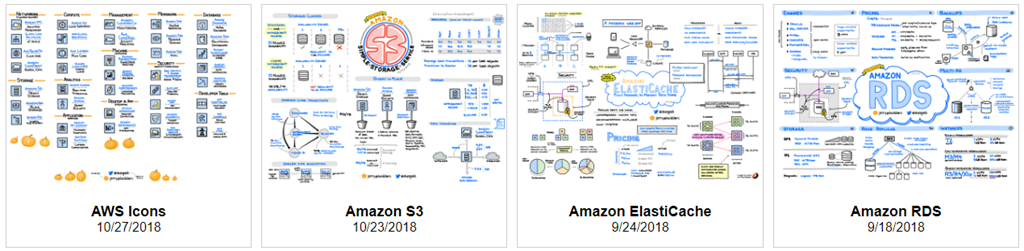
(I am going to use re:invent as the victim here - but I am sure that the experience is probably the same with most conferences) 

There are more than enough things that one could find wrong with the way things go at a conference - and I am not diminishing the problems one little bit.
I would like us all to view it in a different perspective.

The companies that hold these events - are tech companies. They are great at selling technology, great at creating some amazing technology. An of course they also have people that are in charge of events and marketing - but it is not their core business. 

I do not underestimate the impact a good event can have on your product - or how a bad event can damage a company's brand - that is why companies like these spend many millions of dollars on events like this. But again that is not what they are trying to sell,  they are not trying to sell an event. They are not event planners, this is something we seem to forget from time to time especially when things are not optimal (another polite way of saying that they suck).

They outsource the events to an external company.

The signs, the transport, the advertising, the venue, website, the on-site services, scanners, the food - and yes - even the mobile app. All of these do not belong to any one of these companies they are all provided as part of the service that another company sells to these market leaders.

It does not make sense for any of the large vendors to bring up an event all by themselves. For an event that is sometimes no more than 5 days in a year - they will not maintain all the dedicated resources (physical, human and virtual) for just one event. 

So it make sense to outsource it all. And they do.

There are a few vendors out there that are capable of bringing up events on this scale - such as Cvent or Lanyon and if you ask me - they do a pretty good job.

There are always things that can be improved. The app could be better (this year there are significant improvements in the re:Invent app experience 😃 ) The registration could be better, the directing of human traffic at the conference could better, the list could go on and on.

Is IS the job of the tech vendor marketing teams to demand from these event companies to improve from one event to another and get better from year to year. To make sure the food is better, improve registration, make sure that the (also human) traffic flows. 

If I look at this from a technology perspective - it is a classic case of consuming something aaS (As a Service). AWS provides us with infrastructure, and they maintain software. but they do not employ all the people that put the chips on the motherboards of every server in their datacenters. They do have people that provide input into the design of the servers - in order for them to operate more efficiently, and in turn provide a better service to their customers (you and me). 

I would not expect them to have chip designers or assembly plants on the payroll to allow them to run their business. They outsource / contract that work from a 3rd party. 

They contract / outsource their event management. All the big companies do - it makes perfect financial sense. 

Does that mean we should stop bitching about the food, the lines, the app? Hell no! By providing constructive criticism (or complaining) we make things better, because that is what we the customer demand. And these event management companies - will hopefully improve.

Some food (pun intended) for thought - when you are your next conference. 

2018-11-05

The #AWS Visio Stencils


It seems like only yesterday, but it was actually almost 10 years ago when I gave something awesome to the VMware community - the first version of the VMware stencils.

The reason I did this was because at the time - there was no decent set of VMware stencils out there - so I took the initiative and created a set. And I subsequently set out to update them over the years.
I have a small confession. The VMware Visio stencils have been the biggest driver of traffic to my blog over the years. Even till this day - I have a minimum of 5000 monthly views (and this on a post that is more than 5 years old).

And I already hear you say - there is already a number of architectural Visio icon sets available - and even an official one from AWS - you can find them here. (I assume that the graphics are going to be updated just before / after re:Invent - with the new design that they have released a few weeks ago, in the meantime - only the current one is available)

There are other tools that have online graphics as well. LucidChart, Cacoo, Creately, draw.io, Cloudcraft (the only vendor who has original graphics - the rest are all the standard AWS icons). 
If you are following some of the AWS community work - will probably have heard of Jerry Hargrove (better know as @awsgeek). He actually works at Lucidchart and is famous for his unbelievable sketch notes on AWS and their products. Not only are they beautiful, clear and sometimes even really funny, they are also very informative and extremely useful.

Jerry was also recently awarded the honor of AWS community Hero.
I mean really - these are a real work of art!!

image


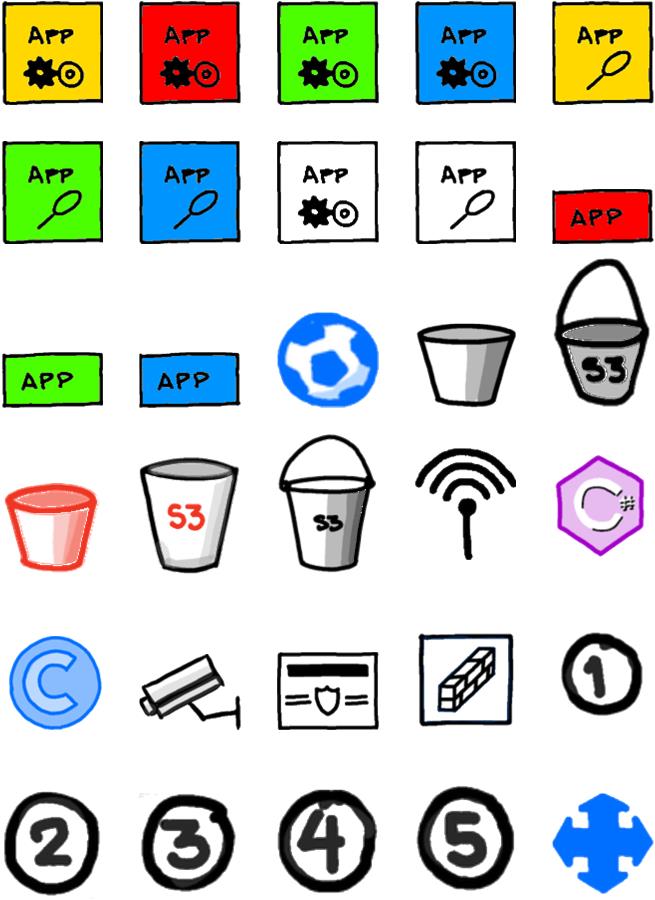
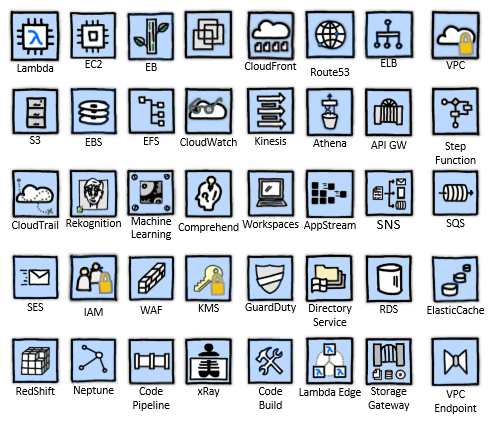
So without further ado I present to you version 1.0 of the AWS Community Visio Stencils.
all_icons
Jerry was kind enough to allow me to use his graphics and provide the AWS community with a set of graphics - that (in my opinion) are not only more appealing to the eye - but are just plain fun!!

40 icons of AWS services.
  • API Gateway
  • AppStream
  • Athena
  • Cloudfront
  • CloudTrail
  • CloudWatch
  • Code Build
  • Code Pipeline
  • Comprehend
  • Directory Service
  • EBS
  • EC2
  • EFS
  • Elastic Beanstalk
  • ElasticCache
  • ELB
  • GuardDuty
  • IAM
  • Kinesis
  • KMS
  • Lambda
  • Lambda Edge
  • Machine Learning
  • Neptune
  • RDS
  • Redshift
  • Rekognition
  • Route53
  • S3
  • SES
  • SNS
  • SQS
  • Step Functions
  • Storage Gateway
  • VMware on AWS
  • VPC
  • VPC Endpoint
  • WAF
  • WorkSpaces
  • xRay
All of the graphics are from Jerry's artwork.
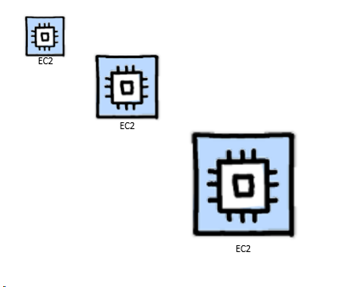
Each of the Icons is resizable
resize
If you so please, the blue background can be removed.
remove_background
You can modify the text on each icon.
change_text
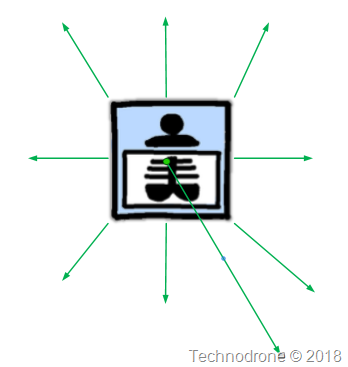
Each icon has 9 possible anchor points.
anchor_points
All yours to use for free, to modify, and diagram to your hearts content.

And yes - this is only the beginning...  There are over another 200 graphics and icons that I will be taking out of these sketches and converting them into usable icons for your diagramming pleasure.

v1.0 is available for download here

I would love to hear your feedback!

Update Dec. 13, 2018

Today I have released version 1.1 of the Stencils. Here is what changed.

  1. New AWS Product icon - DynamoDB
  2. I decided to add a few additional stencils

    a. People


    b. Icons


    c. Shapes and Banners


Enjoy!! There is still more to come.


v1.0 is available for download here
v1.1 is available for download here: